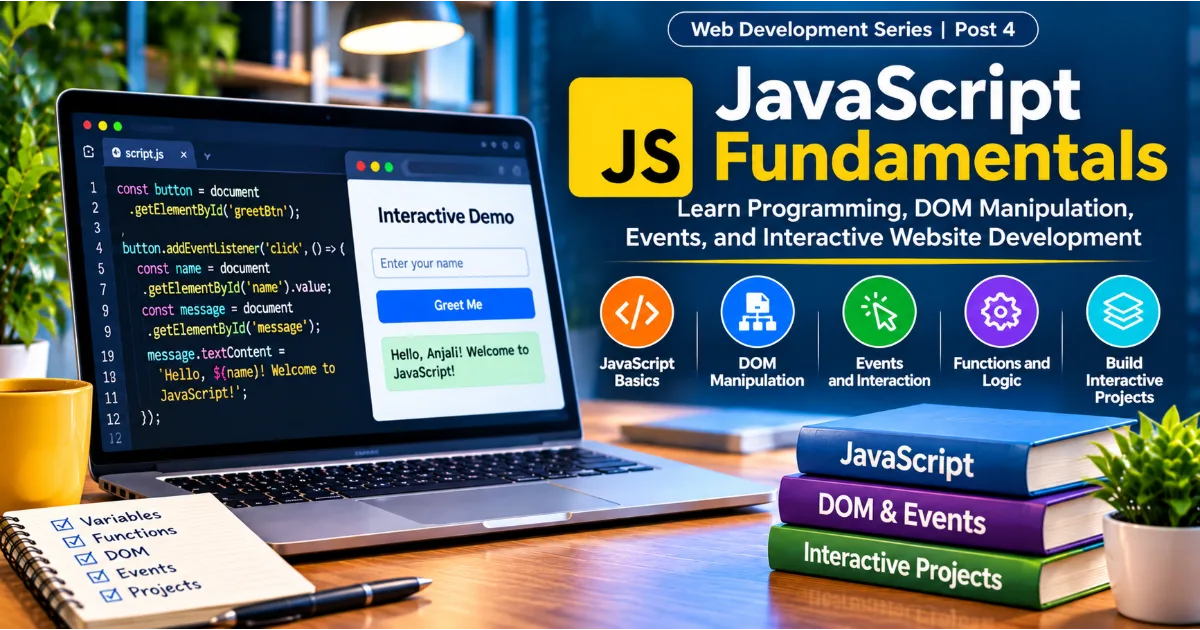
Introduction to JavaScript
A website can have a well-organized structure and an attractive design, but without interaction, many of its features remain limited. Visitors expect menus to open, buttons to respond, forms to validate information, search fields to provide results, and pages to update without requiring a complete reload. JavaScript makes these experiences possible. It is one of the most important technologies in modern web development because it allows developers to create dynamic, responsive, and interactive applications that work directly in the browser.
JavaScript is a programming language used to control website behaviour, process information, respond to user actions, and communicate with external services. It works alongside HTML and CSS, but each technology has a different responsibility. HTML provides the structure and meaning of a page. CSS controls its appearance and layout. JavaScript adds logic and behaviour. When these technologies work together, developers can build everything from a simple personal website to complex web applications such as online stores, dashboards, learning platforms, and project management systems.
Learning JavaScript is an important step for anyone interested in frontend development. It also creates a foundation for backend development because JavaScript can run outside the browser through environments such as Node.js. This means developers can use the same language for browser interactions, server-side logic, API development, and other parts of an application.
This guide explains JavaScript from the beginning, including its syntax, variables, data types, conditions, loops, functions, arrays, objects, DOM manipulation, events, asynchronous programming, APIs, browser storage, debugging, and practical development techniques. By the end, readers should understand how JavaScript fits into web development and how to begin building interactive features independently.
Continue Reading
1. What Is JavaScript?
JavaScript is a high-level, dynamically typed programming language that is widely used to develop interactive websites and web applications. It was originally created to make web pages respond to user actions. Over time, its capabilities expanded significantly, and it became one of the central technologies of the modern software industry.
JavaScript runs in web browsers through a JavaScript engine. Popular browsers include engines that interpret and execute JavaScript code, allowing developers to create behaviour that responds to clicks, keyboard input, page loading, and other events. JavaScript can also run on servers and in other environments, making it useful beyond traditional browser development.
Consider an online registration form. HTML creates the form fields, labels, and submit button. CSS makes the form visually appealing. JavaScript can check whether the visitor has entered a valid email address, whether required fields are empty, and whether the password meets the expected rules. It can then display a useful message without immediately sending the visitor to another page.
JavaScript is also used for image galleries, navigation menus, interactive maps, calculators, shopping carts, live search, notifications, data visualizations, and application dashboards. Many modern websites depend on it for essential functionality.
2. JavaScript Compared with HTML and CSS
Understanding the relationship between HTML, CSS, and JavaScript helps beginners see why all three technologies are important.
HTML describes the content and structure of a web page. It defines headings, paragraphs, links, images, forms, buttons, tables, and semantic sections. Without HTML, the browser would not have a structured document to display.
CSS controls how that structure looks. It defines colours, fonts, spacing, borders, alignment, responsive layouts, animations, and other visual properties. A developer can change the appearance of a website using CSS without changing the underlying content.
JavaScript controls behaviour. It can respond when someone clicks a button, changes a form field, scrolls a page, or submits information. It can also modify the HTML content, update CSS classes, retrieve information from an API, and store data in the browser.
For example, imagine a website with a dark mode button. HTML creates the button. CSS defines the light and dark appearance of the page. JavaScript listens for a click, changes the page's theme class, and may save the selected theme so it remains active when the visitor returns.
The three technologies are most effective when used together. A developer should avoid using JavaScript for tasks that can be handled more simply with HTML or CSS. Clear separation of responsibilities generally makes websites easier to maintain, test, and improve.
3. How JavaScript Runs in a Browser
When a browser loads a web page, it reads the HTML document and discovers resources such as stylesheets, images, and JavaScript files. The browser processes these resources and builds the page that visitors see.
JavaScript is executed by the browser's JavaScript engine. The engine reads the code, prepares it for execution, and performs the instructions. Modern engines use techniques such as interpretation and just-in-time compilation to execute code efficiently.
A developer can add JavaScript directly inside an HTML document using the script element.
<script>
  console.log("Welcome to JavaScript!");
</script>
For larger projects, JavaScript is usually stored in a separate file and connected to the HTML document.
<script src="script.js"></script>The placement and loading behaviour of scripts matter. A traditional script placed in the document head may execute before the browser has finished building the page. If the script tries to access an element that has not yet been created, the operation may fail.
One solution is to place the script near the end of the body. Another is to use the defer attribute.
<script src="script.js" defer></script>A deferred script is downloaded while the browser processes the document and executed after the HTML has been parsed. This is useful for scripts that need to access page elements.
The async attribute has a different purpose. An asynchronous script runs as soon as it has finished downloading, without waiting for the document to finish parsing. This is suitable for independent scripts that do not rely on a particular execution order. Developers should choose between defer and async based on how the script is used.
JavaScript also supports modules, which allow code to be divided into separate files and shared through imports and exports. Modules help larger applications remain organized.
4. JavaScript Syntax and Basic Rules
Syntax refers to the rules that determine how a programming language must be written. JavaScript uses expressions, statements, keywords, operators, identifiers, and blocks of code to describe what the browser or runtime should do.
A simple JavaScript statement might display a message in the browser console.
console.log("Hello, world!");The console is a developer tool used to inspect messages, test expressions, and investigate errors. It is one of the first tools beginners should learn.
JavaScript is case-sensitive. This means userName, username, and UserName are treated as different identifiers. Variable names should describe the information they represent. Names such as totalPrice, customerEmail, and isLoggedIn are generally more understandable than vague names such as x, a1, or data2.
Comments allow developers to explain parts of their code. A single-line comment begins with two forward slashes. A multi-line comment begins with a forward slash followed by an asterisk and ends with an asterisk followed by a forward slash.
// Calculate the final price
const finalPrice = 500;

// This section calculates the total amount
// after applying the discount.
JavaScript generally uses semicolons to separate statements, although automatic semicolon insertion means they are not required in every situation. Consistent formatting is more important than choosing a style and applying it inconsistently.
5. Variables: let, const, and var
Variables are named containers used to store information. A program uses variables to remember values, calculate results, and make decisions.
JavaScript provides three main keywords for declaring variables: let, const, and var. Modern JavaScript generally favours const when a variable does not need to be reassigned and let when its value will change.
const websiteName = "UrNextDoor";
let visitorCount = 100;

visitorCount = visitorCount + 1;

console.log(websiteName);
console.log(visitorCount);
The const keyword prevents reassignment of the variable. It does not make every object or array stored in that variable completely immutable. For example, the properties of an object declared with const can still be changed unless additional measures are used.
const user = {
  name: "Anjali",
  role: "Developer"
};

user.role = "Founder";

console.log(user.role);
The let keyword allows reassignment and is useful for counters, temporary results, and values that change during program execution.
The older var keyword is still valid, but it behaves differently from let and const. It is function-scoped rather than block-scoped and can be redeclared in the same scope. These behaviours can lead to unexpected results in larger programs, so modern code generally avoids using var for new declarations.
Scope describes where a variable can be accessed. Variables declared with let and const inside a block are limited to that block. This makes it easier to prevent accidental changes from unrelated parts of a program.
6. JavaScript Data Types
A data type describes the kind of value stored in a variable. JavaScript has primitive data types and reference types.
The main primitive types are string, number, bigint, boolean, undefined, null, and symbol. Strings represent text. Numbers represent numeric values, including integers and decimal values. Booleans represent true or false conditions. Undefined generally indicates that a variable has been declared but has not received a value. Null represents an intentional absence of a value.
const userName = "Anjali";
const age = 30;
const isActive = true;
let selectedCourse;
const profileImage = null;
JavaScript also supports objects, which can store related information using properties. Arrays are special objects used to store ordered collections of values.
const skills = ["HTML", "CSS", "JavaScript"];

const developer = {
  name: "Anjali",
  skills: skills,
  experience: 5
};
The typeof operator can help identify the type of many values.
console.log(typeof "Hello");
console.log(typeof 42);
console.log(typeof true);
One important detail is that typeof null returns "object", which is a historical behaviour of JavaScript. Beginners should understand that the output of typeof is useful but does not always describe a value perfectly.
Choosing appropriate data types helps prevent errors. For example, a price should normally be represented as a number rather than a text string. A user's account status may be represented as a boolean, while a collection of products can be represented as an array of objects.
7. Operators and Expressions
Operators allow developers to perform calculations, compare values, assign information, and combine conditions. An expression is a piece of code that produces a value.
Arithmetic operators include addition, subtraction, multiplication, division, remainder, and exponentiation.
const price = 800;
const quantity = 3;

const total = price * quantity;
console.log(total);
Assignment operators store values in variables. Comparison operators check relationships between values. The strict equality operator === checks both value and type, while the strict inequality operator !== checks whether they differ.
const userAge = 21;

console.log(userAge === 21);
console.log(userAge > 18);
Developers should generally prefer strict equality over loose equality because loose equality may convert values before comparing them. For example, a string containing a number may be treated as equal to the corresponding numeric value when using loose equality.
Logical operators combine conditions. The && operator means AND, the || operator means OR, and the ! operator means NOT.
const hasAccount = true;
const isVerified = true;

if (hasAccount && isVerified) {
  console.log("Access granted");
}
The conditional or ternary operator provides a concise way to choose between two expressions.
const isLoggedIn = true;
const message = isLoggedIn ? "Welcome back" : "Please sign in";
Operators are essential to nearly every programming task, from calculating shopping totals to checking access permissions and validating form information.
8. Conditional Statements
Conditional statements allow a program to make decisions. Instead of executing every instruction in the same way, the program checks a condition and chooses an appropriate action.
The if statement executes a block when its condition is true.
const score = 75;

if (score >= 50) {
  console.log("You passed");
}
The else statement provides an alternative when the condition is false.
const availableBalance = 500;

if (availableBalance >= 1000) {
  console.log("Payment approved");
} else {
  console.log("Insufficient balance");
}
The else if statement allows multiple conditions to be checked in sequence.
const marks = 82;

if (marks >= 90) {
  console.log("Grade A");
} else if (marks >= 75) {
  console.log("Grade B");
} else if (marks >= 50) {
  console.log("Grade C");
} else {
  console.log("Needs improvement");
}
JavaScript also supports the switch statement. It is useful when a program needs to compare one expression against several possible values.
const accountType = "premium";

switch (accountType) {
  case "free":
    console.log("Basic access");
    break;
  case "premium":
    console.log("Premium access");
    break;
  default:
    console.log("Unknown account type");
}
Conditions are used in login systems, pricing rules, permissions, subscription management, form validation, and many other features. Clear conditions make application logic easier to understand and test.
9. Loops and Repeated Operations
Loops execute a block of code repeatedly. They are useful when processing lists, displaying records, calculating totals, or performing an operation until a condition changes.
A for loop is commonly used when the number of repetitions is known or when iterating through an array using an index.
for (let i = 1; i <= 5; i++) {
  console.log("Number:", i);
}
A while loop continues as long as its condition remains true.
let count = 1;

while (count <= 5) {
  console.log(count);
  count++;
}
The for...of loop provides a convenient way to process values from an iterable such as an array.
const topics = ["HTML", "CSS", "JavaScript"];

for (const topic of topics) {
  console.log(topic);
}
The for...in loop is used to iterate over enumerable property keys of an object. For arrays, developers generally prefer methods such as forEach or for...of because they communicate the intention more clearly.
Loops should always be designed carefully. A condition that never becomes false can create an infinite loop, potentially making a page or application unresponsive. Developers should also avoid unnecessary repeated work when a more efficient array method or data structure can solve the problem.
10. Functions: Reusable Blocks of Code
A function is a reusable block of code designed to perform a particular task. Functions help developers organize programs into smaller units, avoid repetition, and make logic easier to test.
A function can be declared using the function keyword.
function greetUser() {
  console.log("Welcome to JavaScript");
}

greetUser();
Functions can receive information through parameters. The values supplied when a function is called are known as arguments.
function greetUser(name) {
  console.log("Welcome, " + name);
}

greetUser("Anjali");
A function can return a result using the return keyword.
function calculateTotal(price, quantity) {
  return price * quantity;
}

const total = calculateTotal(500, 4);
console.log(total);
Arrow functions offer a shorter syntax and are commonly used in modern JavaScript.
const calculateDiscount = (price, discount) => {
  return price * discount / 100;
};

console.log(calculateDiscount(1000, 10));
For simple expressions, an arrow function can be written on one line.
const doubleNumber = number => number * 2;Functions can also be assigned to variables, passed to other functions, and returned from functions. This is possible because JavaScript treats functions as first-class values.
Understanding scope is important when working with functions. A variable declared inside a function is generally local to that function. A closure occurs when a function retains access to variables from its surrounding lexical scope, even after the outer function has finished executing. Closures are useful for private state, event handlers, and function factories.
11. Arrays and Common Array Methods
An array stores an ordered collection of values. Arrays are used throughout web development to represent products, users, comments, posts, tasks, categories, and other lists of information.
const courses = ["HTML", "CSS", "JavaScript"];

console.log(courses[0]);
console.log(courses.length);
Array indexes begin at zero. This means the first element is at index zero, the second at index one, and so on.
Developers can add and remove values using methods such as push, pop, shift, and unshift. The push method adds an item to the end, while pop removes the last item. The shift method removes the first item, and unshift adds an item at the beginning.
Modern JavaScript provides powerful methods for processing arrays. The forEach method runs a callback for each item. The map method creates a new array by transforming each item. The filter method creates a new array containing only items that meet a condition. The find method returns the first matching item, while reduce combines array values into a single result.
const prices = [100, 200, 300, 400];

const discountedPrices = prices.map(price => price * 0.9);
const expensivePrices = prices.filter(price => price >= 300);
const totalPrice = prices.reduce((sum, price) => sum + price, 0);
These methods are particularly useful when displaying information received from an API. A product list, for example, can be filtered by category, sorted by price, and transformed into a format suitable for rendering.
Developers should remember that some array methods modify the original array while others return a new array. Understanding this distinction helps avoid accidental changes to data that is being used elsewhere.
12. Objects and Structured Data
Objects allow developers to group related information into key-value pairs. They are widely used to represent real-world entities such as users, products, orders, and application settings.
const product = {
  name: "Wireless Keyboard",
  price: 1499,
  available: true
};

console.log(product.name);
console.log(product.price);
Properties can be accessed using dot notation or bracket notation. Dot notation is convenient when the property name is known. Bracket notation is useful when the property name is stored in a variable or contains characters that cannot be used with dot notation.
const propertyName = "price";

console.log(product[propertyName]);
Objects can contain arrays, other objects, and functions. A function stored as an object property is commonly called a method.
const user = {
  name: "Anjali",
  introduce() {
    return `My name is ${this.name}`;
  }
};

console.log(user.introduce());
Modern JavaScript also supports destructuring, which allows values to be extracted from arrays and objects.
const { name, price } = product;The spread syntax can be used to copy or combine objects and arrays.
const updatedProduct = {
  ...product,
  price: 1299
};
Spread syntax creates a shallow copy. Nested objects may still be shared between the original and copied structures, so developers should understand the difference between shallow and deep copying when handling complex data.
13. Understanding the Document Object Model
The Document Object Model, commonly called the DOM, is a programming representation of an HTML document. It allows JavaScript to access and modify the structure, content, and attributes of a web page.
When a browser processes HTML, it creates a tree-like representation of the document. Each HTML element becomes a node in this structure. JavaScript can select these nodes, change their content, update their attributes, modify classes, create new elements, and remove existing elements.
Consider a page containing a heading and a button.
<h1 id="pageTitle">Welcome</h1>
<button id="changeButton">Change Heading</button>
JavaScript can select the heading using getElementById.
const heading = document.getElementById("pageTitle");
heading.textContent = "Welcome to JavaScript";
Other selection methods include querySelector and querySelectorAll. The first returns the first element matching a CSS selector. The second returns a collection of all matching elements.
const firstCard = document.querySelector(".card");
const allCards = document.querySelectorAll(".card");
JavaScript can change text using textContent and can read or set form values through the value property. When inserting user-provided text, textContent is generally safer than assigning it to innerHTML, because innerHTML interprets the supplied string as markup.
Developers can also modify CSS classes using classList.
const panel = document.querySelector(".panel");

panel.classList.add("active");
panel.classList.remove("hidden");
panel.classList.toggle("expanded");
New elements can be created with document.createElement, populated, and added to the page.
const newParagraph = document.createElement("p");
newParagraph.textContent = "This paragraph was created with JavaScript.";

document.body.appendChild(newParagraph);
DOM manipulation is central to interactive web development. It allows an application to update visible information based on user input, server responses, and internal application state.
14. Events and User Interaction
An event is an action or occurrence that a browser can detect. Examples include clicking a button, submitting a form, pressing a key, moving a pointer, resizing a window, or loading a page.
JavaScript uses event listeners to respond to these actions. The addEventListener method is the standard way to attach an event handler to an element.
const button = document.getElementById("changeButton");
const heading = document.getElementById("pageTitle");

button.addEventListener("click", () => {
  heading.textContent = "The button was clicked!";
});
The callback function runs when the specified event occurs. This approach keeps the behaviour separate from the HTML structure and makes the code easier to maintain.
Form events are particularly important. A form can listen for the submit event and validate the entered information before continuing.
const form = document.querySelector("#signupForm");

form.addEventListener("submit", event => {
  event.preventDefault();
  console.log("Form submission handled by JavaScript");
});
The preventDefault method stops the browser's default action. It is often used when JavaScript needs to validate a form, display feedback, or send data through an API.
Events can also propagate through the DOM. Event bubbling means an event typically travels from the target element upward through its ancestors. Event delegation uses this behaviour by attaching one listener to a parent element rather than adding separate listeners to many child elements. This can simplify code and improve efficiency when working with dynamically created elements.
const list = document.querySelector("#taskList");

list.addEventListener("click", event => {
  if (event.target.matches(".deleteButton")) {
    event.target.closest("li").remove();
  }
});
Event handling is used for navigation menus, dropdowns, tabs, modals, form validation, interactive filters, and nearly every feature that responds to a visitor's actions.
15. Handling Forms with JavaScript
Forms collect information from visitors. They are used for account registration, login, contact requests, searches, surveys, checkout processes, and many other activities.
HTML provides form elements such as input, textarea, select, and button. JavaScript can read their values, validate them, and provide immediate feedback.
<form id="contactForm">
  <input id="email" type="email" placeholder="Enter your email">
  <button type="submit">Submit</button>
  <p id="formMessage"></p>
</form>
const form = document.getElementById("contactForm");
const emailInput = document.getElementById("email");
const message = document.getElementById("formMessage");
form.addEventListener("submit", event => {
event.preventDefault();
if (emailInput.value.trim() === "") {
message.textContent = "Please enter your email address.";
return;
}
message.textContent = "Your form is ready to be submitted.";
});The trim method removes whitespace from the beginning and end of a string. This helps prevent a field containing only spaces from being treated as meaningful input.
HTML also provides built-in validation through attributes such as required, minlength, maxlength, and input types. JavaScript can extend these checks when the application has additional rules.
Client-side validation improves the user experience, but it should never be treated as the only security measure. A visitor can bypass browser-side checks. Important validation must also happen on the server before information is accepted or stored.
16. Asynchronous JavaScript
Not every programming operation finishes immediately. A web application may need to retrieve information from a server, load a file, wait for a timer, or communicate with an external service. These operations can take time.
Asynchronous JavaScript allows the application to begin an operation and continue handling other work while waiting for the result. This is important because a browser should remain responsive while network requests or other delayed operations are in progress.
A callback is a function passed to another function so that it can be executed later. Callbacks are useful, but deeply nested callbacks can become difficult to read and maintain.
Promises provide a structured way to represent the eventual success or failure of an asynchronous operation. A promise can be pending, fulfilled, or rejected.
fetch("/api/products")
  .then(response => response.json())
  .then(products => {
    console.log(products);
  })
  .catch(error => {
    console.error("Unable to load products:", error);
  });
The async and await keywords provide another way to work with promises. An async function always returns a promise. Inside it, await pauses that function until a promise settles, without blocking the browser's entire JavaScript environment.
async function loadProducts() {
  try {
    const response = await fetch("/api/products");

    if (!response.ok) {
      throw new Error("The server returned an error");
    }

    const products = await response.json();
    console.log(products);
  } catch (error) {
    console.error("Product loading failed:", error);
  }
}
The try...catch structure handles errors that occur during the operation. Good error handling is important because network requests can fail, servers can return unexpected responses, and users may lose connectivity.
Asynchronous programming is used in search suggestions, live notifications, dashboard updates, online payments, content loading, and many other web application features.
17. Working with APIs and JSON
An API, or Application Programming Interface, allows different software systems to communicate. In web development, a frontend application often communicates with a backend through HTTP requests. The backend processes the request and returns information or performs an action.
For example, an online store may request a list of products from a server. The server returns the product information, and JavaScript displays it on the page.
The Fetch API provides a built-in way to make network requests in modern browsers.
async function getUserProfile() {
  const response = await fetch("/api/profile");

  if (!response.ok) {
    throw new Error("Could not retrieve the profile");
  }

  const profile = await response.json();
  return profile;
}
JSON stands for JavaScript Object Notation. It is a lightweight data format commonly used to exchange information between frontend and backend systems. JSON supports objects, arrays, strings, numbers, booleans, and null values.
A JSON response might contain a user's name, email address, and account status. JavaScript can convert the response into a usable value through response.json().
When sending information to a server, developers can use methods such as POST, PUT, PATCH, and DELETE, depending on the API's design.
async function createTask(taskTitle) {
  const response = await fetch("/api/tasks", {
    method: "POST",
    headers: {
      "Content-Type": "application/json"
    },
    body: JSON.stringify({ title: taskTitle })
  });

  if (!response.ok) {
    throw new Error("Task could not be created");
  }

  return response.json();
}
The JSON.stringify method converts a JavaScript value into a JSON string. The server must still validate the submitted data and enforce appropriate permissions. Developers should never expose private API keys or sensitive server credentials in frontend JavaScript.
18. Browser Storage: localStorage and sessionStorage
Web applications sometimes need to remember information between interactions. Browser storage provides ways to store small amounts of data on the visitor's device.
localStorage stores key-value pairs that remain available after the browser is closed and reopened, until the data is removed. sessionStorage stores data for the lifetime of a particular browser tab session.
Both APIs store values as strings. If an application needs to store an object or array, it can convert the value into JSON before saving it and parse the string when retrieving it.
const preferences = {
  theme: "dark",
  language: "en"
};

localStorage.setItem("preferences", JSON.stringify(preferences));

const savedPreferences = JSON.parse(
  localStorage.getItem("preferences")
);
A simple theme preference, recently selected filter, or non-sensitive draft can be stored in browser storage. However, developers should not store passwords, authentication secrets, payment information, or other sensitive data in localStorage. Browser storage is accessible to JavaScript running on the same origin, so an XSS vulnerability can expose stored information.
Applications should also handle missing or invalid stored values gracefully. Data may be cleared by the visitor, become outdated after an application update, or fail to parse if it is not valid JSON.
19. JavaScript Modules and Code Organization
As applications become larger, placing all JavaScript in one file becomes difficult to manage. Modules allow developers to divide code into separate files, each responsible for a particular feature or area of functionality.
A module can export a function or value.
// math.js
export function addNumbers(a, b) {
  return a + b;
}
Another file can import that function.
// app.js
import { addNumbers } from "./math.js";

console.log(addNumbers(10, 20));
The HTML document can load the main file as a module.
<script type="module" src="app.js"></script>Modules help developers separate concerns, reuse code, and make large projects easier to understand. They also provide their own module scope, reducing accidental conflicts between variables in different files.
A well-organized application might have separate modules for API requests, form validation, user interface updates, data processing, and application configuration. The exact structure depends on the size and needs of the project.
20. Debugging JavaScript with Browser Developer Tools
Debugging is the process of finding and fixing problems in a program. Even experienced developers make mistakes, so learning to investigate errors is an essential programming skill.
Browser developer tools provide several features for debugging JavaScript. The Console displays errors, warnings, and messages. The Sources panel allows developers to inspect files and set breakpoints. The Network panel shows requests made by the page, including their status and response details. The Elements panel allows developers to inspect the DOM and applied styles.
The console.log method is useful for checking variable values and understanding the flow of a program.
const total = 2500;
console.log("Calculated total:", total);
Developers can also use console.warn and console.error to communicate different types of messages.
A breakpoint pauses execution at a particular line so the developer can inspect variables and follow the program step by step. This is often more useful than adding many console messages.
When an error appears, developers should read the message carefully, inspect the file and line number, reproduce the problem, and isolate the smallest section of code that causes it. Randomly changing multiple lines at once makes debugging harder because it becomes difficult to identify which change affected the result.
21. JavaScript Security Fundamentals
Security should be considered from the beginning of application development. JavaScript interacts with user input, browser storage, APIs, and page content, so careless handling can introduce vulnerabilities.
One important risk is cross-site scripting, commonly known as XSS. It occurs when an attacker is able to make a website execute unwanted scripts in a visitor's browser. A common cause is inserting untrusted content into a page as HTML without appropriate safeguards.
For ordinary text, developers should prefer textContent instead of assigning untrusted values to innerHTML.
const userComment = "<img src=x onerror=alert(1)>";
const commentElement = document.createElement("p");

commentElement.textContent = userComment;
document.body.appendChild(commentElement);
This displays the supplied value as text rather than interpreting it as executable markup. When an application genuinely needs to render user-provided HTML, it requires a carefully designed sanitization process and appropriate security controls.
Developers should also avoid exposing secrets in frontend code. Anything delivered to a browser can be inspected by visitors. API credentials, private tokens, and sensitive business logic should be protected on the server.
Other important practices include validating data on the backend, using HTTPS, applying appropriate access controls, keeping dependencies updated, and following secure authentication practices. Security is not a single JavaScript feature. It is a responsibility that involves the entire application.
22. JavaScript Performance and Best Practices
Writing JavaScript that works is only the first step. Good code should also be understandable, maintainable, efficient, and accessible.
Developers should use meaningful variable and function names. A function named calculateOrderTotal communicates its purpose more clearly than a function named processData. Functions should generally have a focused responsibility rather than performing many unrelated tasks.
Avoid unnecessary DOM updates. Repeatedly changing the page inside a large loop can create performance problems. Where appropriate, developers can prepare content in memory and add it to the document in a controlled way.
Event delegation can reduce the number of event listeners required for large lists. Debouncing can help prevent expensive operations from running after every keystroke, particularly in search fields. Throttling can limit how frequently a function runs during events such as scrolling or resizing.
Developers should avoid creating global variables unnecessarily. They should use const and let appropriately, handle errors, validate inputs, and test important behaviour across supported browsers and screen sizes.
Code formatting and consistent conventions are also important. Teams often use tools such as ESLint to identify potential issues and Prettier to format code consistently. Automated testing can help confirm that important functions continue to work as an application changes.
Performance should be measured rather than guessed. Browser developer tools can help identify slow scripts, repeated requests, and expensive operations. Developers should focus on problems that affect real user experience rather than optimizing every small detail prematurely.
23. Practical Project: Build an Interactive To-Do List
One of the best ways to learn JavaScript is to build a small project. A to-do list demonstrates several important concepts, including variables, arrays, functions, DOM manipulation, events, and browser storage.
The project will allow a visitor to enter a task, add it to a list, mark it as completed, and remove it. It will also save the task list in localStorage so that tasks remain available after a page refresh.
Start by creating an HTML file with an input field, an add button, and a list container.
<!DOCTYPE html>
<html lang="en">
<head>
  <meta charset="UTF-8">
  <meta name="viewport" content="width=device-width, initial-scale=1.0">
  <title>JavaScript To-Do List</title>
</head>
<body>
  <h1>My To-Do List</h1>

  <form id="taskForm">
    <input id="taskInput" type="text" placeholder="Enter a task" required>
    <button type="submit">Add Task</button>
  </form>

  <ul id="taskList"></ul>

  <script src="script.js" defer></script>
</body>
</html>
Next, create a JavaScript file. The first responsibility is to select the required HTML elements and load any saved tasks.
const taskForm = document.getElementById("taskForm");
const taskInput = document.getElementById("taskInput");
const taskList = document.getElementById("taskList");

let tasks = [];

try {
  tasks = JSON.parse(localStorage.getItem("tasks")) || [];
} catch (error) {
  tasks = [];
}
The application needs a function to save the current task list.
function saveTasks() {
  localStorage.setItem("tasks", JSON.stringify(tasks));
}
A rendering function can display the tasks. It should create elements through the DOM API and use textContent for task descriptions.
function renderTasks() {
  taskList.replaceChildren();

  tasks.forEach((task, index) => {
    const listItem = document.createElement("li");
    const taskText = document.createElement("span");
    const completeButton = document.createElement("button");
    const deleteButton = document.createElement("button");

    taskText.textContent = task.title;

    if (task.completed) {
      taskText.style.textDecoration = "line-through";
    }

    completeButton.textContent = task.completed ? "Undo" : "Complete";
    deleteButton.textContent = "Delete";

    completeButton.addEventListener("click", () => {
      tasks[index].completed = !tasks[index].completed;
      saveTasks();
      renderTasks();
    });

    deleteButton.addEventListener("click", () => {
      tasks.splice(index, 1);
      saveTasks();
      renderTasks();
    });

    listItem.append(taskText, completeButton, deleteButton);
    taskList.appendChild(listItem);
  });
}
The form submission handler adds a new task to the array.
taskForm.addEventListener("submit", event => {
  event.preventDefault();

  const title = taskInput.value.trim();

  if (!title) {
    return;
  }

  tasks.push({
    title: title,
    completed: false
  });

  taskInput.value = "";
  saveTasks();
  renderTasks();
});
Finally, call the rendering function when the page loads.
renderTasks();This small project brings together several important JavaScript concepts. The input field provides user information, the submit event triggers a function, the array stores tasks, DOM manipulation displays them, and localStorage preserves the information.
The project can be extended with features such as task categories, due dates, search, filters, editing, completion statistics, and improved visual design. Developers can also move the data from localStorage to a backend API when they want tasks to be synchronized across devices or associated with user accounts.
24. Common JavaScript Mistakes Beginners Should Avoid
Beginners often make mistakes because they are learning both programming concepts and the behaviour of the browser. These mistakes are a normal part of the learning process, but recognizing them early can save time.
One common problem is confusing assignment with comparison. A single equals sign assigns a value, while === compares values and types. Using the wrong operator can produce unexpected behaviour in conditions.
Another frequent issue is trying to access a DOM element before it exists. This can happen when a script runs before the HTML has been parsed. Using defer, placing the script appropriately, or waiting for the relevant document event can prevent this problem.
Beginners may also forget that array indexes begin at zero. They may attempt to access an item at the wrong index or use an incorrect loop boundary. Understanding array length and indexing carefully helps avoid these errors.
Changing an array or object unexpectedly is another source of bugs. Some methods modify the original value, while others return a new value. Developers should know which behaviour to expect.
Asynchronous code can create confusion when developers assume that a network request will finish before the next line executes. Using promises and async and await correctly makes the order of operations clearer.
Finally, beginners sometimes insert user input through innerHTML, expose sensitive information in frontend code, or rely entirely on client-side validation. Safe DOM operations, server-side validation, and secure handling of credentials should be part of every developer's learning process.
25. A Practical Roadmap for Learning JavaScript
The most effective way to learn JavaScript is through a combination of concepts, small exercises, and projects. Reading documentation or watching tutorials can introduce ideas, but writing and debugging code builds the practical understanding needed for real development.
Start with the fundamentals: variables, data types, operators, conditions, loops, and functions. Practice each topic with small programs, such as a calculator, a number guessing game, a grade checker, or a simple expense total.
Next, learn arrays and objects. Build small programs that process lists of products, users, or tasks. Practice methods such as map, filter, find, and reduce so that working with structured data becomes familiar.
After that, focus on the DOM and events. Create interactive buttons, dropdowns, tabs, modals, form validation, and dynamic lists. These exercises connect programming logic to visible browser behaviour.
Once the fundamentals are comfortable, learn asynchronous JavaScript, promises, async and await, Fetch API, and JSON. Build a small application that retrieves public information from an API and displays it on a page. Learn how to handle loading states, empty responses, and network errors.
Then explore modules, debugging, testing, accessibility, performance, and security. Build projects that combine several concepts rather than completing isolated exercises only. A task manager, weather dashboard, expense tracker, quiz application, or product catalogue can provide useful practical experience.
When you are ready to explore larger applications, learn a frontend framework such as React, Vue, or Angular. Frameworks introduce additional concepts and development patterns, but a strong understanding of JavaScript makes them easier to learn. For backend development, explore Node.js and a suitable server framework.
26. JavaScript Career Opportunities and Its Role in Modern Web Development
JavaScript remains an important skill across the software industry because it supports many parts of application development. Frontend developers use it to build interactive interfaces, connect components to APIs, manage application state, and create responsive experiences.
Full stack developers use JavaScript on both the frontend and backend. With Node.js, developers can create APIs, process requests, connect to databases, and build server-side applications. This allows teams to use one language across different layers of a product, although the technologies and responsibilities in each layer remain distinct.
JavaScript is also used in testing, automation, desktop application development, and mobile application development through specialized tools and frameworks. Its ecosystem includes libraries and tools for user interfaces, data visualization, testing, build systems, and application architecture.
Learning JavaScript does not guarantee a development role by itself. Employers also look for problem-solving ability, practical project experience, knowledge of HTML and CSS, version control, API integration, debugging skills, accessibility awareness, and an understanding of how applications are deployed and maintained.
A useful portfolio should demonstrate working projects and explain the problems they solve. Even a small project can be valuable when it is complete, understandable, accessible, and well structured. Developers should be able to describe the decisions they made, the challenges they faced, and how they tested the result.
Conclusion
JavaScript is a fundamental technology for modern web development. It transforms static pages into interactive experiences and gives developers the ability to respond to user actions, process information, communicate with servers, and update content dynamically. Understanding variables, data types, operators, conditions, loops, functions, arrays, and objects provides the programming foundation needed to work confidently with the language.
The DOM connects JavaScript to the browser's document, while events make it possible to respond to user interactions. Asynchronous programming and APIs allow applications to retrieve and send information without making the interface unnecessarily unresponsive. Browser storage adds the ability to preserve selected information, while modules and good development practices help projects remain organized as they grow.
The most important part of learning JavaScript is consistent practice. Build small features, inspect how they work, make mistakes, debug them, and gradually combine them into complete projects. Once the fundamentals become familiar, frontend frameworks, backend development, and more advanced application architecture will be easier to understand.
JavaScript is not simply a language for adding buttons and animations to websites. It is a versatile programming technology that supports a large part of today's web ecosystem. A strong foundation in JavaScript gives aspiring developers the skills to create useful digital products and continue growing as software professionals.
#JavaScript #JavaScriptForBeginners #WebDevelopment #FrontendDevelopment #LearnJavaScript