1. What Is MongoDB?
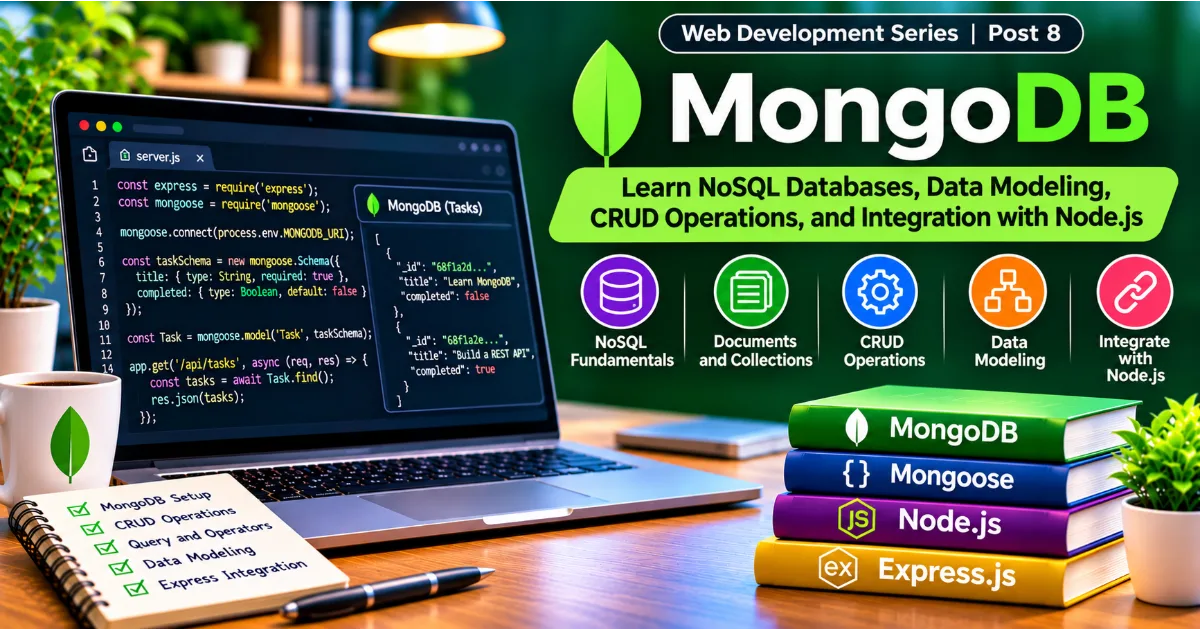
MongoDB is a document-oriented NoSQL database designed to store, retrieve, and manage application data in a flexible format. Unlike traditional relational databases that organize information primarily into tables and rows, MongoDB stores information as documents grouped into collections. These documents use a structure similar to JSON, making MongoDB convenient for applications developed with JavaScript and Node.js.
Consider an online learning platform. It may store information about users, courses, lessons, quizzes, enrolments, and progress. In a relational database, this information is commonly distributed across multiple tables connected through relationships. In MongoDB, a course can be represented as a document containing its title, description, instructor information, and other fields. Related information can be embedded in the document or referenced through identifiers, depending on how the application needs to access it.
MongoDB is widely used in web applications, content management systems, ecommerce platforms, analytics applications, and backend services. Its flexible document model can be useful when application requirements evolve or when different records contain different sets of attributes.
MongoDB is not automatically better than a relational database. Both approaches have advantages and limitations. Choosing the right database depends on the application's data structure, relationships, transaction requirements, query patterns, consistency needs, and operational environment.
Continue Reading
2. Understanding SQL and NoSQL Databases
Relational databases such as PostgreSQL and MySQL organize data into tables. Each table contains rows and columns, and relationships between tables are established using keys. Developers commonly use SQL to create tables, insert records, update information, and retrieve data.
NoSQL is a broad category of database systems that use data models other than the traditional relational table model. It includes document databases, key-value databases, wide-column databases, and graph databases. MongoDB belongs to the document database category.
The main difference is how information is represented and accessed. A relational database might store a user in one table and the user's addresses in another table. MongoDB can store a user document with an embedded array of addresses, or it can store addresses separately and reference them.
Relational databases are often a strong choice when applications require complex joins, strict relational constraints, and structured transactional workflows. MongoDB can be particularly convenient when application data naturally fits a document structure and related information is frequently accessed together.
NoSQL does not mean that a database has no structure or rules. MongoDB supports schema validation, indexes, transactions, and carefully designed data relationships. The important distinction is that its document model offers flexibility in how data is organized.
3. Documents, Collections, and Databases
MongoDB organizes information through three important concepts: databases, collections, and documents.
A database is a logical container for application data. An ecommerce platform might have a database named shop, while a learning platform might use a database named learning_platform.
A collection is a group of related documents. For example, a database might contain collections named users, products, orders, and categories. Collections are broadly comparable to tables in relational databases, although their documents do not have to share an identical structure.
A document is an individual record stored in BSON, which is MongoDB's binary representation of JSON-like data. BSON supports additional data types, including dates and binary values, while retaining a structure that is familiar to JavaScript developers.
A user document might look like this:
{
  "_id": "user_101",
  "name": "Ananya Sharma",
  "email": "ananya@example.com",
  "role": "student",
  "active": true,
  "skills": ["JavaScript", "HTML", "CSS"],
  "createdAt": "2026-10-15T10:30:00Z"
}
This document contains strings, a boolean value, an array, and a date-like value. Another user document may contain additional fields, such as a profile image or professional experience.
MongoDB assigns a unique _id field to each document when one is not supplied. This identifier helps applications retrieve and reference individual records.
4. Understanding BSON and MongoDB Data Types
MongoDB stores documents using BSON, which stands for Binary JSON. BSON is designed to represent structured data efficiently and supports several types that are useful in database applications.
Common MongoDB data types include strings, integers, doubles, booleans, arrays, embedded documents, dates, null values, and ObjectId identifiers.
A product document could contain a string for its name, a numeric value for its price, a boolean indicating whether it is available, and an array containing product tags.
{
  "name": "Wireless Keyboard",
  "price": 2499,
  "available": true,
  "tags": ["electronics", "accessories"],
  "stock": 35
}
Using appropriate data types is important. A price should generally be stored as a numeric value rather than a string if the application needs to perform calculations or comparisons. For financial systems, developers should carefully consider precision and use a suitable representation such as Decimal128 rather than relying on ordinary floating-point arithmetic.
Dates should be stored as date values rather than arbitrary text when applications need date comparisons, sorting, or time-based queries.
5. Installing MongoDB and Setting Up Your Environment
There are two common ways to work with MongoDB. You can install MongoDB locally for development, or use MongoDB Atlas, a managed cloud database service.
A local installation is useful when you want to understand how a database server runs on your own computer. MongoDB Atlas is convenient when you want a hosted database that can be accessed by a development application through a connection string.
For a local development environment, install MongoDB Community Server and the MongoDB Shell if they are available for your operating system. Start the database service and use the shell to connect to the running server.
The MongoDB Shell, commonly called mongosh, allows developers to execute database commands. You can inspect databases, create collections, insert documents, run queries, and update records.
To begin working with MongoDB, open the shell and run:
show databasesTo select or create a database:
use learning_platformMongoDB creates the database when data is first stored in it. Selecting a database alone does not necessarily create a persistent database on disk.
Create a collection:
db.createCollection("students")You now have a basic database and collection for learning database operations.
6. Inserting Documents into MongoDB
MongoDB provides insert operations for adding documents to collections. The two commonly used methods are insertOne() and insertMany().
To insert one student record:
db.students.insertOne({
  name: "Rohan Mehta",
  email: "rohan@example.com",
  course: "Full Stack Development",
  completed: false
})
MongoDB stores the document and returns information about the inserted record, including its identifier.
To insert multiple records:
db.students.insertMany([
  {
    name: "Priya Singh",
    email: "priya@example.com",
    course: "Frontend Development",
    completed: true
  },
  {
    name: "Aarav Patel",
    email: "aarav@example.com",
    course: "Backend Development",
    completed: false
  }
])
Bulk insertion is useful when importing data or creating several records in one operation. Developers should still consider validation, error handling, and duplicate data when designing insertion workflows.
A common beginner mistake is inserting inconsistent field names. For example, one document may use firstName, while another uses first_name. Although MongoDB permits flexible document structures, inconsistent naming can make application code harder to maintain.
7. Reading and Querying Documents
Reading information is one of the most frequent database operations in web applications. MongoDB provides find() to retrieve documents matching a query and findOne() to retrieve a single matching document.
To retrieve all students:
db.students.find()To find one student by email:
db.students.findOne({
  email: "rohan@example.com"
})
MongoDB queries use field-value conditions. To find students enrolled in a particular course:
db.students.find({
  course: "Backend Development"
})
You can also use comparison operators. For example, an ecommerce application may need products priced below a certain amount.
db.products.find({
  price: { $lt: 5000 }
})
Some commonly used comparison operators include $eq for equality, $ne for inequality, $gt for greater than, $gte for greater than or equal to, $lt for less than, and $lte for less than or equal to.
Logical operators allow multiple conditions to be combined. For example, an application may search for students who have completed a course and belong to a particular programme.
db.students.find({
  $and: [
    { completed: true },
    { course: "Frontend Development" }
  ]
})
MongoDB also supports projection, which allows an application to return only selected fields.
db.students.find(
  { completed: true },
  { name: 1, email: 1, _id: 0 }
)
Projection can reduce the amount of unnecessary data returned to the application and help avoid exposing fields that a particular response does not need.
8. Updating Documents
Applications frequently need to modify stored information. A user may update their profile, an administrator may change a product's availability, or a student may mark a lesson as completed.
MongoDB provides updateOne() and updateMany() for modifying documents.
To update one student:
db.students.updateOne(
  { email: "rohan@example.com" },
  {
    $set: {
      completed: true
    }
  }
)
The $set operator changes the specified fields without replacing the entire document.
To update multiple records:
db.students.updateMany(
  { course: "Frontend Development" },
  {
    $set: {
      learningTrack: "Frontend"
    }
  }
)
Other update operators are useful for different operations. $inc increases or decreases a numeric field. $unset removes a field. $push adds an item to an array, while $pull removes matching array elements.
For example, increasing product stock:
db.products.updateOne(
  { name: "Wireless Keyboard" },
  {
    $inc: {
      stock: 10
    }
  }
)
Update operations should use sufficiently specific filters. Accidentally using an overly broad filter can modify more records than intended. Developers should also validate incoming values before using them in update operations.
9. Deleting Documents
Deleting information is another fundamental database operation. MongoDB provides deleteOne() and deleteMany().
To delete one student:
db.students.deleteOne({
  email: "rohan@example.com"
})
To delete all records matching a particular condition:
db.students.deleteMany({
  completed: true
})
Delete operations should be handled carefully because removing a document may affect other parts of the application. An order, for example, may reference a customer or product. Deleting the related document without considering those relationships can create inconsistent application behavior.
Many applications use soft deletion instead of immediately removing records. A soft-deleted record remains in the database but is marked as inactive or deleted. This can be useful for audit trails, recovery, and historical reporting.
A simple soft-delete update might look like this:
db.students.updateOne(
  { email: "rohan@example.com" },
  {
    $set: {
      deleted: true
    }
  }
)
The application can then exclude deleted records from ordinary queries.
10. Understanding MongoDB Operators
MongoDB operators make queries and updates more expressive. They help developers search for records using conditions, modify data, and perform operations on arrays and nested documents.
The $in operator matches documents where a field contains one of the supplied values.
db.products.find({
  category: {
    $in: ["laptops", "tablets", "accessories"]
  }
})
The $or operator matches documents that satisfy at least one condition.
db.students.find({
  $or: [
    { course: "Frontend Development" },
    { course: "Backend Development" }
  ]
})
The $exists operator checks whether a field is present in a document.
db.users.find({
  profileImage: { $exists: true }
})
Array operators are useful when working with tags, skills, categories, and other lists. $all can match documents containing every specified array value, while $elemMatch can match array elements that satisfy multiple conditions.
Understanding operators allows developers to create flexible search and filtering features without retrieving every document and filtering the results manually in application code.
11. Sorting, Limiting, and Pagination
Returning every record from a collection is rarely appropriate for a large application. A product catalogue with thousands of products should not send every product to the browser in one response.
MongoDB provides sort(), limit(), and skip() to control query results.
To sort students alphabetically:
db.students.find().sort({
  name: 1
})
A value of 1 sorts in ascending order, while -1 sorts in descending order.
To return only the first ten records:
db.students.find().limit(10)To skip the first ten records:
db.students.find().skip(10).limit(10)These operations can be used to implement basic pagination. However, large skip values may become inefficient because the database still needs to process the skipped records. For large datasets, range-based or cursor-based pagination is often a better approach.
For example, an application can retrieve records after a known identifier or timestamp. This approach is particularly useful for feeds, activity histories, and continuously growing collections.
12. Embedded Documents and Data Relationships
MongoDB supports embedded documents, which allow related information to be stored inside a parent document.
Consider a customer who has multiple addresses. An application may store those addresses as an array inside the customer document.
{
  "name": "Meera Kapoor",
  "email": "meera@example.com",
  "addresses": [
    {
      "type": "home",
      "city": "Bengaluru",
      "postalCode": "560001"
    },
    {
      "type": "office",
      "city": "Mysuru",
      "postalCode": "570001"
    }
  ]
}
This structure can be convenient when addresses are usually retrieved together with customer information. It reduces the need for a separate query to obtain the addresses.
However, embedding is not always the right choice. If related data grows without a practical limit, is frequently updated independently, or is shared by many records, referencing may be more appropriate.
For example, an ecommerce order can reference a customer using a customer identifier rather than copying the customer's complete profile into every order.
{
  "orderNumber": "ORD-1001",
  "customerId": "CUST-101",
  "total": 3499,
  "status": "processing"
}
MongoDB supports both embedding and referencing. A good database design considers how information is accessed, how frequently it changes, and how large the related data can become.
13. Indexes and Query Performance
An index helps MongoDB locate documents more efficiently. Without an appropriate index, the database may need to examine many documents to find records matching a query.
For example, a user collection may contain millions of records. If users frequently sign in using email addresses, creating an index on the email field can improve lookup performance.
db.users.createIndex({
  email: 1
})
If email addresses must be unique, create a unique index:
db.users.createIndex(
  { email: 1 },
  { unique: true }
)
A unique index prevents multiple documents from using the same indexed value, subject to the index's configuration and the data being indexed.
Indexes can also be created across multiple fields. A compound index may help queries that filter and sort using a particular combination of fields.
db.orders.createIndex({
  customerId: 1,
  createdAt: -1
})
Indexes improve many read operations, but they also require storage and add work to insert, update, and delete operations. Creating an index for every field is not a good strategy.
Developers should examine actual query patterns and use query analysis tools to determine whether indexes are helping. Performance optimization should be based on measurements rather than assumptions.
14. MongoDB Aggregation Framework
The aggregation framework allows developers to process documents through a sequence of stages. It is useful for reporting, analytics, summarization, and complex data transformations.
An aggregation pipeline may filter records, group them, calculate totals, sort results, and reshape the output.
Suppose an ecommerce platform needs to calculate total sales by order status. An aggregation pipeline might look like this:
db.orders.aggregate([
  {
    $group: {
      _id: "$status",
      totalOrders: {
        $sum: 1
      },
      totalRevenue: {
        $sum: "$total"
      }
    }
  },
  {
    $sort: {
      totalRevenue: -1
    }
  }
])
The $group stage groups orders by their status. $sum calculates the number of orders and total revenue. $sort orders the resulting groups by revenue.
Some commonly used aggregation stages include $match, $group, $project, $sort, $limit, $skip, $unwind, and $lookup.
$match filters documents. $project selects or transforms fields. $unwind expands array elements into separate pipeline documents. $lookup performs a join-like operation between collections.
Aggregation can move data-processing work closer to the database, which may reduce the amount of information transferred to the application. However, complex pipelines should be designed and tested carefully because their performance depends on document volume, indexes, and pipeline structure.
15. Schema Design and Validation
MongoDB is often described as schema-flexible, but this does not mean that developers should ignore data structure.
A well-designed application should define the fields it expects, their data types, required values, and business rules. Without consistent structure, application code can become difficult to maintain because different documents may contain unexpected combinations of fields.
MongoDB supports collection validation rules. These rules can enforce requirements such as mandatory fields and acceptable data types.
For example, a collection can be configured to require a string title and a numeric price. Validation helps prevent invalid documents from entering the collection through database operations.
Application-level validation is still important because it allows the backend to return understandable error messages and enforce business-specific rules. Database validation provides an additional layer of protection.
Schema design should reflect the application's real access patterns. A document model should not simply copy the frontend interface structure. Developers should consider which records are read together, which fields change frequently, and how data will grow over time.
16. Connecting MongoDB with Node.js
A Node.js application can communicate with MongoDB through the official MongoDB Node.js driver or an abstraction library such as Mongoose.
The official driver provides direct access to MongoDB operations. It is useful when developers want to work closely with the database's native query capabilities.
Mongoose is an object data modeling library that provides schemas, models, validation, middleware, and other features for Node.js applications. It can help teams organize database access in larger projects.
To install the official MongoDB driver:
npm install mongodbA basic connection can be created using the driver:
const { MongoClient } = require("mongodb");

const uri = process.env.MONGODB_URI;

const client = new MongoClient(uri);

async function connectDatabase() {
  await client.connect();

  const database = client.db("learning_platform");

  console.log("Connected to MongoDB");

  return database;
}
The connection string should be stored in an environment variable rather than written directly into source code. This helps protect credentials and makes it easier to use different database configurations for development, testing, and production.
A production application should also manage connection lifecycle, handle connection failures, and close resources appropriately when shutting down.
17. Using Mongoose with Express.js
Mongoose provides a convenient way to define application data models and interact with MongoDB.
Install Mongoose:
npm install mongooseConnect to MongoDB:
const mongoose = require("mongoose");

async function connectDatabase() {
  await mongoose.connect(process.env.MONGODB_URI);

  console.log("MongoDB connected");
}
Define a schema:
const mongoose = require("mongoose");

const taskSchema = new mongoose.Schema({
  title: {
    type: String,
    required: true,
    trim: true
  },
  description: {
    type: String,
    default: ""
  },
  completed: {
    type: Boolean,
    default: false
  }
}, {
  timestamps: true
});

const Task = mongoose.model("Task", taskSchema);
The schema describes the structure of task records. The timestamps option automatically manages creation and update timestamps.
The model can then be used in Express route handlers:
app.get("/api/tasks", async (request, response, next) => {
  try {
    const tasks = await Task.find();

    response.json(tasks);
  } catch (error) {
    next(error);
  }
});
Mongoose also supports schema validation, population of referenced documents, query methods, and middleware hooks. These features can make database code more structured, although developers should understand the underlying MongoDB behavior rather than relying on abstractions without understanding them.
18. MongoDB Security Best Practices
Database security is essential because a compromised database can expose personal information, business records, credentials, and other sensitive data.
Never expose database credentials in frontend code or public repositories. Store connection strings in protected environment variables or a secure secrets management system.
Use authentication and access controls so that applications connect with accounts that have only the permissions they need. Avoid using unrestricted administrative credentials for ordinary application operations.
Network access should be restricted to trusted environments where practical. Cloud database services commonly provide network access controls and configuration options that help limit where connections can originate.
Sensitive information should be protected through appropriate encryption practices. Applications should also consider encryption in transit, backups, retention policies, and secure deletion requirements.
Developers must validate data before storing it and avoid constructing unsafe database queries from untrusted input. In particular, applications should not allow arbitrary client-provided query objects to be passed directly into database operations.
Regular backups and recovery testing are important. A backup that has never been tested may not provide the protection an application expects.
19. MongoDB Atlas and Cloud Database Hosting
MongoDB Atlas is a managed database service that allows developers to deploy and manage MongoDB databases in the cloud. It reduces the need to operate database servers manually and provides tools for monitoring, scaling, access management, and backups depending on the selected configuration.
A typical development workflow involves creating a database deployment, configuring database access, setting network permissions, and obtaining a connection string.
The connection string is then stored in the backend environment configuration.
MONGODB_URI=your_database_connection_stringThe application reads the value through process.env.MONGODB_URI.
Developers should never commit a real connection string containing credentials to a public repository. They should also avoid granting broad network access simply to make an initial connection easier.
Cloud database services can simplify operations, but the application owner remains responsible for data modeling, access control, application security, backup policies, and monitoring.
20. Practical Project: Build a Student Management API
The following project combines MongoDB, Mongoose, Node.js, and Express.js to create a simple student management API.
The application will support creating student records, retrieving all students, retrieving one student, updating student information, and deleting a record.
Create a project:
mkdir student-management-api
cd student-management-api
npm init -y
npm install express mongoose dotenv
Create a .env file:
PORT=3000
MONGODB_URI=your_mongodb_connection_string
Create a file named server.js:
require("dotenv").config();

const express = require("express");
const mongoose = require("mongoose");

const app = express();

app.use(express.json());

const studentSchema = new mongoose.Schema({
  name: {
    type: String,
    required: true,
    trim: true
  },
  email: {
    type: String,
    required: true,
    unique: true,
    lowercase: true,
    trim: true
  },
  course: {
    type: String,
    required: true
  },
  completed: {
    type: Boolean,
    default: false
  }
}, {
  timestamps: true
});

const Student = mongoose.model("Student", studentSchema);

// Retrieve all students
app.get("/api/students", async (request, response, next) => {
  try {
    const students = await Student.find();

    response.json(students);
  } catch (error) {
    next(error);
  }
});

// Retrieve one student
app.get("/api/students/:id", async (request, response, next) => {
  try {
    const student = await Student.findById(request.params.id);

    if (!student) {
      return response.status(404).json({
        message: "Student not found"
      });
    }

    response.json(student);
  } catch (error) {
    next(error);
  }
});

// Create a student
app.post("/api/students", async (request, response, next) => {
  try {
    const { name, email, course } = request.body;

    if (
      typeof name !== "string" ||
      !name.trim() ||
      typeof email !== "string" ||
      !email.trim() ||
      typeof course !== "string" ||
      !course.trim()
    ) {
      return response.status(400).json({
        message: "Name, email, and course are required"
      });
    }

    const student = await Student.create({
      name,
      email,
      course
    });

    response.status(201).json(student);
  } catch (error) {
    next(error);
  }
});

// Update a student
app.patch("/api/students/:id", async (request, response, next) => {
  try {
    const student = await Student.findByIdAndUpdate(
      request.params.id,
      request.body,
      {
        new: true,
        runValidators: true
      }
    );

    if (!student) {
      return response.status(404).json({
        message: "Student not found"
      });
    }

    response.json(student);
  } catch (error) {
    next(error);
  }
});

// Delete a student
app.delete("/api/students/:id", async (request, response, next) => {
  try {
    const student = await Student.findByIdAndDelete(request.params.id);

    if (!student) {
      return response.status(404).json({
        message: "Student not found"
      });
    }

    response.status(204).send();
  } catch (error) {
    next(error);
  }
});

// Central error handler
app.use((error, request, response, next) => {
  console.error(error);

  if (error.name === "ValidationError") {
    return response.status(400).json({
      message: "Validation failed"
    });
  }

  if (error.code === 11000) {
    return response.status(409).json({
      message: "A student with this email already exists"
    });
  }

  if (error.name === "CastError") {
    return response.status(400).json({
      message: "Invalid student identifier"
    });
  }

  response.status(500).json({
    message: "Internal server error"
  });
});

async function startServer() {
  try {
    await mongoose.connect(process.env.MONGODB_URI);

    console.log("MongoDB connected");

    const port = process.env.PORT || 3000;

    app.listen(port, () => {
      console.log(`Server running on port ${port}`);
    });
  } catch (error) {
    console.error("Unable to start application:", error);
    process.exit(1);
  }
}

startServer();
This is a learning example. A production application should validate update fields against an explicit allowlist rather than passing arbitrary client input into findByIdAndUpdate(). It should also validate identifier formats, apply authentication and authorization, and avoid logging sensitive information.
When the application starts, it connects to MongoDB before accepting requests. This prevents the server from reporting itself as ready while its required database connection is unavailable.
You can test the API by sending a POST request to /api/students with a JSON body containing a name, email, and course. A GET request retrieves the records, while PATCH and DELETE requests modify or remove an individual student.
The records remain stored in MongoDB after the server restarts, unlike the in-memory array used in the previous Express.js learning project.
21. Common MongoDB Mistakes Beginners Should Avoid
One common mistake is treating MongoDB as a database without structure. Although MongoDB allows flexible documents, applications still need consistent field names, data types, and validation rules. Poorly structured records create difficulties when querying and maintaining the application.
Another mistake is choosing embedding or referencing without considering access patterns. Embedding everything can create large documents and unnecessary duplication, while referencing every related record can lead to excessive database queries. The correct approach depends on how the application reads and updates its information.
Creating too many indexes is also a frequent problem. Indexes can improve query performance, but they consume storage and add overhead to write operations. Developers should create indexes based on actual query requirements.
A further mistake is storing sensitive credentials directly in source code. Connection strings and database passwords should be protected using environment variables or secure secrets management.
Developers should also avoid returning every document from a large collection. Pagination, filtering, projections, and sensible query limits help keep APIs efficient.
Finally, database backups should not be treated as an optional operational detail. Applications that store important information need a recovery strategy and regular verification that backups can actually be restored.
22. When Should You Choose MongoDB?
MongoDB can be a good choice when application data naturally fits a document structure, when related information is often retrieved together, or when the application benefits from flexible document fields.
It is commonly considered for content platforms, product catalogues, user profiles, event data, activity feeds, and applications that manage different types of records.
A relational database may be a better choice when the application depends heavily on complex joins, strict relational constraints, or workflows that are naturally expressed through relational tables.
Some applications use both types of databases. For example, a platform may use PostgreSQL for financial transactions and MongoDB for flexible content or event records. This approach can be useful, but it introduces additional operational complexity and should be justified by real requirements.
The best database is the one that supports the application's data model, access patterns, consistency needs, performance goals, and operational capabilities.
Conclusion
MongoDB is an important technology in modern backend development. Its document-oriented model allows developers to store structured information in a flexible format, while its query language, indexes, aggregation framework, and validation features support a wide range of application requirements.
Understanding databases, collections, documents, CRUD operations, operators, indexes, aggregation, and data relationships provides a strong foundation for working with MongoDB. Connecting MongoDB to Node.js through the official driver or Mongoose makes it possible to build persistent backend services using JavaScript.
The most effective way to learn MongoDB is to work with real application scenarios. Build a student management system, create an ecommerce catalogue, develop a blog backend, and experiment with search, filtering, pagination, and reporting. As your understanding grows, explore database security, performance analysis, backup strategies, and cloud deployment.
MongoDB, Node.js, and Express.js together provide a practical foundation for building modern full stack web applications. Learning how these technologies work together will help you move from creating basic APIs to developing backend systems that can manage real application data reliably.
#MongoDB #NoSQLDatabase #NodeJS #Mongoose #WebDevelopment