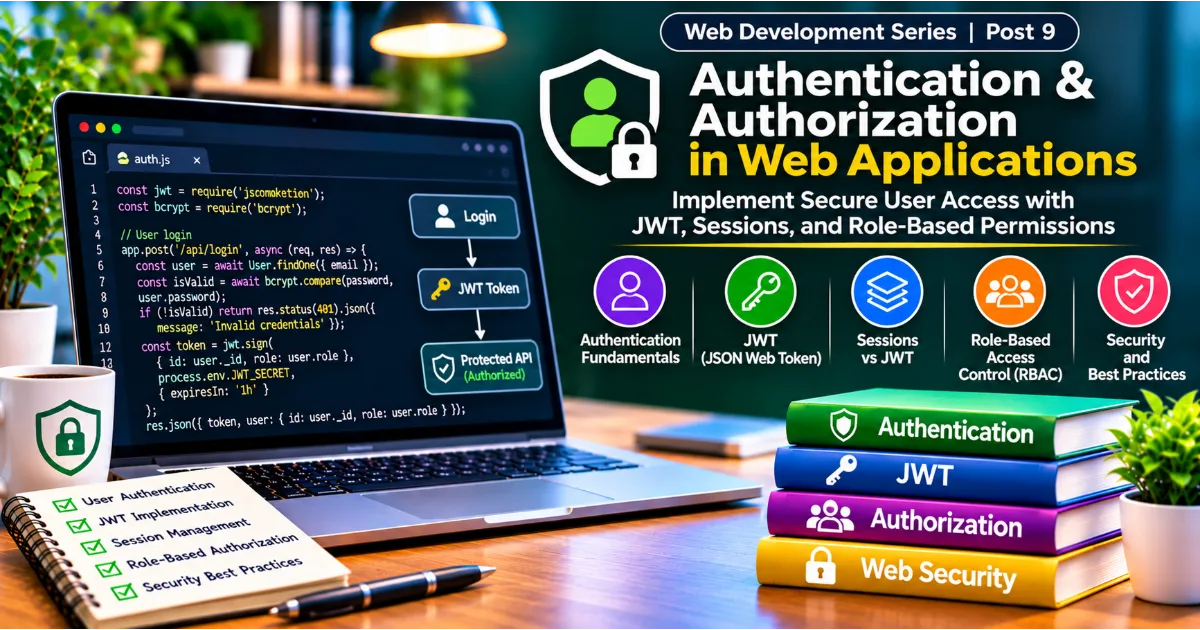
Almost every modern web application needs a way to identify its users and control what they are allowed to do. A shopping website must recognize customers, protect their account information, and ensure that only authorized users can access order details. A learning platform needs to distinguish students from instructors and administrators. A project management application must allow team members to view shared tasks while restricting sensitive settings to project owners. These capabilities depend on two closely related concepts: authentication and authorization.
Authentication answers the question, "Who are you?" Authorization answers a different question, "What are you allowed to access or do?" Although these terms are often used together, they represent separate stages of application security. A user may successfully prove their identity but still lack permission to access a particular resource. Understanding this distinction is essential when developing secure websites, APIs, and full stack applications.
In the previous posts of this Web Development series, we explored frontend technologies, backend development with Node.js and Express.js, and database operations with MongoDB. Authentication and authorization bring these technologies together. A typical application receives login details through a frontend form, processes them through an Express.js backend, verifies credentials using securely stored password hashes, and retrieves account information from MongoDB. It then establishes an authenticated session or issues a token that allows the user to make authorized requests.
This article explains how authentication systems work, how cookies and sessions maintain user identity, how JSON Web Tokens are used in API-based applications, and how OAuth 2.0 and OpenID Connect support external identity providers. It also explores password security, role-based access control, common attacks, practical Express.js implementation concepts, and the best practices developers should follow when building a secure login system.
Continue Reading
1. Understanding Authentication and Authorization
Authentication is the process of verifying the identity of a person, application, or system attempting to access a service. When someone enters an email address and password into a login form, the application checks whether those credentials correspond to a registered account. If the verification succeeds, the application recognizes the requester as an authenticated user.
Authentication is not limited to passwords. Modern applications may use one-time codes, authenticator applications, hardware security keys, biometric authentication supported by the user's device, or identity providers that verify users on behalf of other services. The appropriate method depends on the sensitivity of the application, the risks involved, and the experience expected by users.
Authorization determines the actions an authenticated identity can perform. Consider an online learning platform containing students, instructors, and administrators. All three categories may be able to sign in successfully, but their permissions differ. Students may access enrolled courses and submit assignments. Instructors may create lessons, review submissions, and manage their own courses. Administrators may manage accounts, platform settings, and moderation activities. The system must enforce these permissions on the server, not merely hide buttons in the user interface.
A secure application performs both operations consistently. Authentication establishes a trustworthy identity, while authorization evaluates that identity against the requested action and resource. Skipping either stage creates security weaknesses. A login system without meaningful authorization may allow ordinary users to access administrative functions. An authorization system without reliable identity verification cannot determine whose permissions should be evaluated.
2. How Authentication Works in a Web Application
To understand authentication, it helps to follow the journey of a typical login request. A user opens a website and enters their registered email address and password. The frontend validates basic input requirements, such as whether the fields are empty and whether the email format appears valid. It then sends the credentials to a backend authentication endpoint over HTTPS.
The backend receives the request and searches the user database for the supplied account identifier. If the account exists, the server compares the submitted password with the stored password hash using an appropriate password-hashing library. The application must never retrieve or compare a plaintext password from the database because passwords should not be stored in their original form.
If verification succeeds, the backend establishes an authenticated state. In a session-based system, it creates a server-side session and sends the browser a session identifier through a cookie. In a token-based system, it may issue a signed access token that the client presents with later requests. The browser or application then uses the session cookie or token when accessing protected endpoints.
For example, when a user opens their account dashboard, the frontend requests the relevant account data from the backend. The backend verifies the session or token, identifies the user, checks whether that user is permitted to access the requested information, and returns the appropriate response. If authentication fails, the request is rejected. If the user is authenticated but lacks permission, the server should deny the operation.
This process demonstrates why authentication is not simply a login form. It is an ongoing security mechanism that protects requests throughout the user's interaction with an application.
3. HTTP, Stateless Communication, and User Identity
HTTP is fundamentally a stateless protocol. Each request is independent, and the server does not automatically remember previous requests from the same browser. If a user signs in and then requests another page, the server needs a reliable way to determine that the new request belongs to the previously authenticated user.
Web applications solve this problem by carrying an identifier or credential between requests. Cookies, sessions, and tokens are common mechanisms for maintaining this continuity.
A cookie is a small piece of information stored by the browser and associated with a website. The browser can automatically attach matching cookies to future requests. A session is a server-side record containing information about an authenticated interaction. A session identifier stored in a cookie allows the backend to locate that record. A token is a credential that carries claims or references information used by the server to authenticate a request.
These mechanisms have different security and operational characteristics. Developers should select them according to application architecture rather than assuming one method is universally superior.
4. Understanding Cookies in Web Development
Cookies allow websites to store small values in a browser and send them to the server with subsequent matching requests. They are widely used for authentication, preferences, shopping carts, and other browser-related features.
When a server creates an authentication cookie, it can configure attributes that control how the browser handles it. These attributes are important because a cookie containing a session identifier or authentication credential must be protected against unauthorized access and transmission.
The HttpOnly attribute prevents ordinary JavaScript running in the browser from reading the cookie through APIs such as document.cookie. This reduces the possibility of certain credential theft techniques when a page contains a cross-site scripting vulnerability. It does not eliminate the underlying XSS vulnerability, so developers must still prevent unsafe script execution.
The Secure attribute instructs the browser to send the cookie only over secure HTTPS connections. Production authentication cookies should use this attribute. The SameSite attribute controls when cookies are included in requests initiated from other sites. Its settings can help reduce cross-site request forgery risks, although developers must understand the application's navigation and integration requirements before selecting a policy.
Cookie expiration is another important consideration. A session cookie may be removed when the browser session ends, while a persistent cookie can remain until its configured expiration time. Long-lived authentication cookies increase the period during which a stolen credential may be useful. Expiration policies should therefore reflect the sensitivity of the application and the expected user experience.
5. Session-Based Authentication
Session-based authentication is a traditional and widely used method for maintaining login state in web applications. In this approach, the server creates and manages a session after successfully verifying a user's credentials. The browser receives a session identifier, usually through a protected cookie, and sends it with future requests.
The session identifier does not need to contain the user's entire profile or permission structure. It acts as a reference that allows the server to retrieve the associated session data from a session store. That store may be an in-memory system during development or a shared storage service such as Redis or a database in production.
When a protected request arrives, the server reads the session identifier, finds the corresponding session, verifies that it remains valid, and identifies the authenticated user. The application can then check the user's permissions before performing the requested operation.
One advantage of session-based authentication is that the server retains direct control over active sessions. If a user signs out, the server can invalidate the session. If an administrator suspends an account, the application can invalidate its sessions or reject requests associated with that account. This makes immediate revocation comparatively straightforward.
However, session-based authentication requires reliable session storage. Applications running across multiple backend servers need a shared session store or another mechanism to ensure that each server can recognize valid sessions. Storing sessions only in the memory of an individual server can cause inconsistent behavior when requests are distributed across several instances or when a server restarts.
Session-based authentication is particularly suitable for many traditional web applications and browser-based systems where centralized session management is desirable.
6. How Session-Based Authentication Works with Express.js
Express.js applications can implement session management using dedicated middleware. The middleware reads the incoming session cookie, loads the corresponding session, and makes session information available to route handlers.
A simplified example of session middleware configuration looks like this:
const express = require("express");
const session = require("express-session");

const app = express();

app.use(express.json());

app.use(
  session({
    name: "app_session",
    secret: process.env.SESSION_SECRET,
    resave: false,
    saveUninitialized: false,
    cookie: {
      httpOnly: true,
      secure: process.env.NODE_ENV === "production",
      sameSite: "lax",
      maxAge: 1000 * 60 * 60
    }
  })
);
This configuration demonstrates several important concepts. The session name identifies the cookie, while the secret is used by the session middleware to protect the session identifier. The secret should be stored in an environment variable and should never be committed to a public source repository. The cookie configuration enables important security attributes and defines an example lifetime.
The default in-memory session store is not appropriate for production deployments because it is not designed for reliable multi-server operation or persistent session management. A production application should use a suitable shared session store and configure secure deployment settings.
After a user successfully signs in, the backend can store the authenticated user's identifier in the session. A protected route can then inspect that value to determine whether the request belongs to an authenticated user. The application should regenerate the session identifier after successful login to reduce session fixation risks.
7. Password Security and Password Hashing
Passwords remain a common authentication method, but their security depends heavily on how they are handled. Storing passwords as plaintext is one of the most serious mistakes a developer can make. If an attacker gains access to a database containing plaintext passwords, every affected account becomes immediately exposed.
Applications should store password hashes generated by dedicated password-hashing algorithms. A hashing algorithm transforms the password into a derived value that is computationally difficult to reverse. During login, the application uses the password-hashing library to verify the submitted password against the stored hash.
Algorithms such as Argon2id and bcrypt are designed for password hashing. They incorporate computational cost parameters that make large-scale password guessing more expensive. Argon2id is a strong modern choice when supported by the application's environment. bcrypt remains widely used in existing applications and has established library support.
General-purpose hashing functions such as MD5 and SHA-1 should not be used for password storage. Even faster modern general-purpose functions such as SHA-256 are not appropriate as standalone password-hashing solutions because attackers can calculate large numbers of guesses quickly. Password storage requires algorithms specifically designed to resist brute-force attacks.
A password-hashing library also handles salts. A salt is a unique random value incorporated into the password-hashing process. It ensures that identical passwords do not produce identical stored hashes when properly implemented by the library. Developers should use established libraries that manage salts and verification rather than creating their own password-storage algorithm.
Password policy should balance security and usability. Applications should encourage long, unique passwords, support password managers, and avoid unnecessary restrictions that make passwords difficult to manage. Login endpoints should also apply rate limiting and monitoring to reduce automated guessing attempts.
8. Registration and Login Flow
A registration process begins when a new user submits account information. The backend validates the supplied data, checks whether the account identifier is already registered, applies the application's password policy, and securely hashes the password. It then stores the account record in the database.
A simplified MongoDB user document might contain fields such as a unique email address, a password hash, a display name, a role, an account status, and timestamps. The application should not store unnecessary sensitive information. Database validation and unique indexes should help maintain data integrity, while backend validation should provide understandable error responses.
During login, the backend should search for the account using a normalized identifier where appropriate. If the account exists, the password-hashing library verifies the submitted password. If verification succeeds, the application creates a session or issues a token. The response should avoid exposing the password hash or unnecessary internal account details.
Login error messages should also be designed carefully. Returning one message for an unknown email and a different message for an incorrect password can help attackers discover registered accounts. Many applications use a consistent message such as "Invalid email or password" for failed login attempts.
Account recovery requires similar care. Password reset links or codes should be unpredictable, short-lived, and single-use. The application should avoid revealing whether an email address belongs to an account and should notify users when important account changes occur.
9. JSON Web Tokens and Token-Based Authentication
JSON Web Token, commonly known as JWT, is a compact token format used to transmit claims between systems. JWTs are frequently used in API-based applications because a server can validate a signed token without looking up a traditional session record for every request, depending on the architecture.
A JWT commonly contains three sections: a header, a payload, and a signature. These sections are encoded and separated by periods. The header describes the token type and signing algorithm. The payload contains claims, such as a subject identifier and expiration time. The signature allows the receiving system to verify that the token has not been modified and was signed by a trusted party.
A crucial point is that a signed JWT is not automatically encrypted. Its payload can generally be decoded by anyone who possesses the token. Developers must therefore avoid placing passwords, private personal information, secret keys, or other sensitive data in ordinary signed JWT payloads.
A token may include a subject claim identifying the user, an issuer identifying the system that created it, an audience identifying the intended recipient, and an expiration claim indicating when it becomes invalid. Servers should validate relevant claims and use an explicit algorithm allowlist rather than accepting arbitrary algorithms.
JWTs can be useful when multiple services need to validate authentication credentials independently. However, they introduce tradeoffs. A token that remains valid until expiration may continue to work after a user signs out unless the system uses revocation, short lifetimes, token rotation, or another control. This is one reason why JWT authentication is not automatically more secure or more scalable than session-based authentication.
10. Access Tokens and Refresh Tokens
An access token is a credential used to access protected resources. It should generally have a relatively short lifetime so that the impact of theft is limited. When the access token expires, the client may need to obtain a new one.
A refresh token is a longer-lived credential that can be exchanged for a new access token under controlled conditions. It should be protected more carefully because possession of a valid refresh token can allow an attacker to obtain additional access tokens.
A secure refresh-token design may use rotation. Each time a refresh token is used, the server issues a replacement and invalidates the previous token. If an already-used refresh token appears again, the application can treat it as a possible sign of token theft and revoke the associated token family.
Refresh tokens should be stored and transmitted using secure mechanisms appropriate to the client platform. For browser applications, an HttpOnly, Secure, and appropriately configured SameSite cookie is often preferable to exposing long-lived credentials to ordinary JavaScript. The exact architecture must also account for CSRF protection and the application's cross-origin requirements.
Developers should not treat refresh tokens as ordinary application data. They need expiry, rotation, revocation, monitoring, and clear logout behavior.
11. Session Authentication vs JWT Authentication
Session-based authentication and JWT-based authentication solve related problems but use different approaches.
With sessions, the server maintains a record of the authenticated state. The browser sends a session identifier, and the server retrieves the associated information. With JWTs, the client sends a signed token containing claims that the server validates.
Sessions provide straightforward centralized revocation and are often a natural choice for traditional browser applications. JWTs can be useful in distributed systems where multiple services need to verify tokens, but they require careful decisions about expiration, storage, revocation, and key management.
Neither method should be selected simply because it is popular. A single web application with a conventional backend may benefit from secure cookie-based sessions. A distributed API platform may have requirements that make short-lived access tokens more appropriate. Some systems use a combination of approaches.
The most important decision is to select a design that the development team can operate securely. A simple and well-maintained session system is generally preferable to a complex token architecture that is poorly implemented.
12. OAuth 2.0: Delegated Authorization
OAuth 2.0 is an authorization framework that allows an application to obtain limited access to resources on behalf of a user without asking the user to share their password with that application. It is commonly used when an application needs to access services provided by another platform.
Consider a productivity application that allows users to connect their cloud storage account. Instead of collecting the user's cloud storage password, the application redirects the user to the storage provider. The provider authenticates the user and asks whether the application may receive specific permissions. If the user approves, the provider issues an authorization grant that the application can exchange for an access token.
The token grants access within the approved scope. For example, the application might receive permission to read selected files but not delete them or manage the user's entire account. This principle of limited permissions reduces unnecessary access.
OAuth 2.0 is not itself an authentication protocol. It primarily addresses delegated authorization. Developers who use OAuth-based social login should understand the distinction and use an identity layer such as OpenID Connect when they need to authenticate users.
Modern OAuth deployments should use secure authorization flows. The Authorization Code flow with Proof Key for Code Exchange, commonly called PKCE, is recommended for public clients such as browser-based and mobile applications. It helps protect the authorization code against interception. Developers should also validate redirect URIs, use state values to protect the authorization response, and avoid insecure legacy flows.
13. OpenID Connect and Social Login
OpenID Connect, or OIDC, is an identity layer built on top of OAuth 2.0. It provides a standardized way for an application to verify a user's identity through an identity provider. This distinction is important because obtaining permission to access an API does not automatically prove who the user is.
With OpenID Connect, the identity provider can issue an ID token containing identity-related claims. The application validates the token according to the protocol requirements, including the issuer, audience, signature, and expiration. It can then use the verified identity information to establish its own application session.
Social login is a familiar example of this model. A website may allow users to sign in using an account from a recognized identity provider. The user is redirected to that provider, completes authentication there, and grants the requested access. The application receives the appropriate response and creates or links an account according to its account-linking policy.
Social login can reduce password-management responsibilities for an application, but it does not eliminate security work. Developers must validate identity tokens correctly, protect callback endpoints, handle account linking carefully, and decide what happens if a user changes their email address or loses access to the external identity provider.
Applications should also avoid automatically linking accounts solely because two providers return the same email address unless the relevant verification and trust requirements are satisfied. Account linking is a sensitive operation because an unsafe implementation can allow one identity to take control of another user's account.
14. Role-Based Access Control
Role-Based Access Control, commonly known as RBAC, is a method of assigning permissions based on roles. Instead of writing separate access rules for every individual user, an application defines roles such as administrator, editor, instructor, and member. Each role receives a set of permissions, and users are assigned one or more roles.
For example, a content platform may allow members to create and edit their own posts, editors to review submitted content, and administrators to manage users and platform settings. The backend checks the authenticated user's role and permissions before carrying out a protected operation.
A simple role model might look like this:
const roles = {
  member: ["read:content", "create:post"],
  editor: ["read:content", "create:post", "review:post"],
  admin: [
    "read:content",
    "create:post",
    "review:post",
    "manage:users"
  ]
};
The backend can use a permission-checking function to determine whether a role includes the required permission. In a real application, permissions should be maintained in a controlled and consistent way, rather than relying on frontend values supplied by the browser.
RBAC is useful because it makes access rules easier to understand and manage. However, role checks alone may not be sufficient. A member might be allowed to edit posts, but only posts they own. This requires an additional resource-level ownership check.
15. Protecting Express.js Routes with Middleware
Express.js middleware provides a convenient way to apply authentication and authorization checks before route handlers execute. An authentication middleware can verify a session or token and attach the authenticated user's identity to the request. A separate authorization middleware can check whether that user has the required role or permission.
A simplified role-checking example is:
function requireRole(...allowedRoles) {
  return function (req, res, next) {
    if (!req.user) {
      return res.status(401).json({
        message: "Authentication required"
      });
    }

    if (!allowedRoles.includes(req.user.role)) {
      return res.status(403).json({
        message: "You do not have permission"
      });
    }

    next();
  };
}
This middleware assumes that an earlier authentication middleware has already verified the request and populated req.user. It should not trust a role supplied directly by the client. The role must come from a trusted server-side source or a properly validated credential whose claims are appropriate for the operation.
A protected administrative route could then use the middleware:
app.get(
  "/api/admin/users",
  authenticateUser,
  requireRole("admin"),
  async (req, res) => {
    const users = await User.find().select("-passwordHash");
    res.json(users);
  }
);
This example demonstrates layered protection. The authentication middleware checks identity, the role middleware checks authorization, and the route handler performs the requested operation. Real applications should also apply input validation, error handling, logging, and resource-level permission checks where needed.
16. Resource Ownership and Fine-Grained Permissions
Not every authorization decision can be made by checking a user's role. Applications frequently need to determine whether a user can access a particular record. This is especially important for applications containing private messages, personal documents, orders, projects, and user-generated content.
Imagine a task management application in which every task belongs to a particular user. All authenticated users may be allowed to view their own tasks, but one user should not be able to retrieve another user's tasks simply by changing an identifier in the request URL.
A secure backend query should include the authenticated user's identifier as part of the database filter. Rather than retrieving a task using only its ID, the server should verify that the task belongs to the requester or that the requester has another valid permission to access it.
For example:
const task = await Task.findOne({
  _id: req.params.id,
  owner: req.user.id
});

if (!task) {
  return res.status(404).json({
    message: "Task not found"
  });
}
This approach helps prevent insecure direct object reference vulnerabilities. Depending on the application's privacy requirements, returning the same response for missing and inaccessible resources can also reduce information leakage.
Developers should consider authorization at every level where data is accessed or changed. A user who can view a project may not necessarily be allowed to delete it, invite new members, change billing information, or manage its permissions.
17. Common Authentication and Authorization Attacks
Authentication systems are attractive targets because they protect access to valuable accounts and information. Developers should understand common attack patterns and design controls that reduce their impact.
Brute-force attacks involve repeated attempts to guess a password. Attackers may use automated tools and large password lists. Rate limiting, progressive delays, suspicious-activity monitoring, multi-factor authentication, and strong password storage can reduce the risk. Rate limits should consider both account identifiers and network sources, while avoiding policies that allow attackers to permanently lock out legitimate users.
Credential stuffing uses username and password combinations stolen from other services. It succeeds when users reuse passwords across websites. Applications can reduce its effectiveness through multi-factor authentication, suspicious-login detection, breached-password screening where appropriate, and clear user guidance about unique passwords.
Phishing tricks users into entering their credentials on a fraudulent website or revealing authentication codes. Developers can support safer authentication through phishing-resistant methods such as passkeys and hardware security keys. Clear domain identity, secure recovery procedures, and user education also help.
Session hijacking occurs when an attacker obtains a valid session identifier and uses it to impersonate a user. HTTPS, secure cookie attributes, session rotation, short and appropriate session lifetimes, and protection against cross-site scripting help reduce this risk.
Session fixation occurs when an attacker causes a victim to authenticate using a session identifier known to the attacker. Regenerating the session identifier after login and other privilege changes is an important defense.
Cross-Site Scripting, or XSS, occurs when malicious scripts are executed in a user's browser through a vulnerable page. XSS can sometimes allow attackers to perform actions as the user or steal accessible credentials. Output encoding, safe DOM practices, content security policies, and avoiding unsafe HTML insertion are important defenses. HttpOnly cookies reduce direct JavaScript access to session cookies but do not prevent an attacker from performing actions through a compromised page.
Cross-Site Request Forgery, or CSRF, tricks a browser into sending an unwanted authenticated request to a website. Because browsers automatically attach matching cookies, cookie-based authentication needs an appropriate CSRF defense. SameSite cookie settings, anti-CSRF tokens, origin checks, and careful handling of state-changing requests can help. The appropriate combination depends on the application's architecture.
Broken access control occurs when a system fails to enforce permissions correctly. Examples include allowing ordinary users to access administrative endpoints, permitting users to modify another person's records, or trusting role information submitted by the frontend. Server-side authorization checks must protect every sensitive operation.
18. Multi-Factor Authentication
Multi-Factor Authentication, or MFA, requires users to verify their identity using more than one factor. These factors generally fall into three categories: something the user knows, something the user possesses, and something the user is.
A password is something the user knows. A hardware security key or authenticator device is something the user possesses. A supported biometric characteristic is something the user is. Requiring two independent categories makes account compromise more difficult than relying on a password alone.
One-time codes generated by authenticator applications are commonly used as an additional factor. Hardware security keys and passkeys can provide stronger phishing resistance because they are designed to work with the legitimate website's identity. SMS-based codes may be better than password-only authentication in some circumstances, but they can be vulnerable to phone-number takeover and related attacks.
MFA implementation requires secure enrollment, recovery, and account-change procedures. An attacker who cannot bypass the primary login should not be able to take over the account simply by exploiting a weak recovery process. Backup codes should be generated securely, shown only when appropriate, and stored safely by the user. Changes to MFA settings may require reauthentication and additional notifications.
For applications that handle financial, personal, administrative, or business-critical information, MFA can provide an important additional layer of protection.
19. Secure Password Reset and Account Recovery
A forgotten-password feature is part of the authentication system and must be protected with the same care as login. A typical reset process begins when a user submits an account identifier. The backend should respond with a neutral message that does not disclose whether the account exists.
If the account is eligible for recovery, the system generates a cryptographically secure, unpredictable reset token. The token should be stored securely, associated with the account, and given a short expiration period. It should be invalidated after successful use. A reset link should use HTTPS and a trusted application domain, and the token should not be exposed unnecessarily through analytics, logs, or third-party scripts.
After the user submits a new password, the backend validates it, hashes it using a suitable password-hashing algorithm, and updates the account record. The system should invalidate existing reset tokens and consider revoking active sessions or refresh tokens, particularly if the reset was initiated because of a suspected compromise.
Account recovery should also be monitored. Repeated reset attempts, unexpected changes to account recovery details, and unusual login activity may indicate an attack. Users should receive appropriate notifications when their password or important security settings change.
20. Practical Authentication Architecture with Express.js and MongoDB
A practical full stack authentication system connects the frontend, Express.js backend, and MongoDB database. The frontend provides registration, login, logout, and account recovery screens. The backend exposes authentication endpoints, validates incoming requests, verifies passwords, creates sessions or tokens, and enforces authorization. MongoDB stores account records and relevant security information.
A user model might include an email address, a password hash, a role, an account status, and timestamps. It may also include fields related to MFA enrollment, refresh-token records, or recovery processes depending on the architecture. Sensitive information should be excluded from ordinary API responses.
The registration endpoint should validate the email address and password, check for existing accounts, hash the password, and create the user record. The login endpoint should locate the account, verify the password hash, check account status, and establish the authenticated state. Protected endpoints should verify the session or token before accessing private data.
A simplified password-hashing example using bcrypt illustrates the basic process:
const bcrypt = require("bcrypt");

async function createPasswordHash(password) {
  const saltRounds = 12;
  return bcrypt.hash(password, saltRounds);
}

async function verifyPassword(password, storedHash) {
  return bcrypt.compare(password, storedHash);
}
The example shows how a library handles hashing and verification. The appropriate cost settings should be benchmarked on the actual deployment environment and updated as computing capabilities and security guidance evolve. Applications should also consider Argon2id where supported.
A login route might follow this general structure:
app.post("/api/auth/login", async (req, res, next) => {
  try {
    const { email, password } = req.body;

    if (!email || !password) {
      return res.status(400).json({
        message: "Email and password are required"
      });
    }

    const user = await User.findOne({
      email: email.trim().toLowerCase()
    });

    if (!user || !(await verifyPassword(
      password,
      user.passwordHash
    ))) {
      return res.status(401).json({
        message: "Invalid email or password"
      });
    }

    if (user.status !== "active") {
      return res.status(403).json({
        message: "This account cannot sign in"
      });
    }

    req.session.userId = user._id.toString();

    res.json({
      message: "Login successful",
      user: {
        id: user._id,
        name: user.name,
        role: user.role
      }
    });
  } catch (error) {
    next(error);
  }
});
This is an educational illustration, not a complete production authentication system. A production implementation should regenerate the session after login, configure a shared session store, validate all input, normalize account identifiers consistently, rate-limit login attempts, handle errors safely, and apply the cookie and CSRF protections appropriate to its deployment. It should also avoid exposing internal account information.
The logout route should invalidate the server-side session and clear the corresponding cookie using matching cookie settings. If the application uses refresh tokens, logout should revoke the relevant refresh token or token family as well. Merely removing a token from frontend memory does not necessarily invalidate a credential that has already been stolen.
21. Authentication in Single Page Applications and Mobile Applications
Single Page Applications, or SPAs, often communicate with a backend through APIs. Their authentication architecture must account for how browser credentials are stored and transmitted. A frontend built with React, Vue, or Angular may use secure cookies to maintain a session with an Express.js backend. This can simplify browser credential handling, but cross-origin deployments need careful cookie, CORS, and CSRF configuration.
Some SPA architectures use short-lived access tokens and refresh tokens. If this approach is selected, developers must protect the refresh credential and define how tokens are renewed, rotated, and revoked. Storing long-lived tokens in local storage can expose them to theft if malicious JavaScript executes on the page. A secure, carefully designed cookie-based approach is often preferable for browser applications.
Mobile applications have different storage considerations. They should use platform-provided secure storage mechanisms for sensitive credentials rather than ordinary application preferences or unprotected files. Mobile authentication flows commonly use an external system browser and PKCE when integrating with an identity provider. Developers should also plan for device loss, session revocation, and secure account recovery.
The important principle is that authentication design should reflect the client platform. A method that is convenient for a server-rendered website may not be suitable for a mobile application or a distributed API ecosystem.
22. Testing Authentication and Authorization
Authentication features require more than basic tests that confirm a correct password produces a successful response. Developers should test expected behavior, failure cases, and attempts to bypass security controls.
Registration tests should verify that valid users can create accounts, duplicate identifiers are handled correctly, invalid input is rejected, and password hashes are stored instead of plaintext passwords. Login tests should cover valid credentials, incorrect passwords, unknown accounts, disabled accounts, and rate-limiting behavior.
Session tests should verify that unauthenticated requests cannot access protected resources, authenticated requests are recognized correctly, logout invalidates the session, and session identifiers change after login. Cookie tests should confirm the expected security attributes in production configuration.
Authorization tests should examine every role and important resource ownership rule. A member should not be able to access administrator endpoints. One user should not be able to view, update, or delete another user's private records by changing an identifier. Tests should also verify that frontend restrictions are not the only protection.
Token-based systems need additional tests for expired tokens, invalid signatures, incorrect issuers or audiences, refresh-token reuse, revoked credentials, and malformed authorization headers. Security testing should be integrated into the development process rather than postponed until deployment.
23. Best Practices for Building Secure Authentication Systems
A secure authentication system begins with established libraries and well-understood protocols. Developers should avoid inventing their own cryptographic algorithms, token formats, password storage methods, or session mechanisms. Security-sensitive functionality should rely on maintained, reputable libraries and documented standards.
All authentication traffic should use HTTPS. Passwords and other credentials should never be transmitted through unencrypted connections. Secrets such as session signing keys, token signing keys, and database credentials should be stored outside source code in an appropriate secrets-management system.
Passwords should be stored using Argon2id or bcrypt with suitable parameters. Authentication endpoints should have rate limits and monitoring. Session cookies should use appropriate security attributes, and session identifiers should be rotated after authentication and privilege changes. Access tokens should be short-lived, and refresh tokens should have controlled rotation and revocation behavior.
Authorization must be enforced on the backend for every protected action. Developers should verify ownership and permissions at the resource level rather than assuming that an authenticated user can access any record. Sensitive operations may require reauthentication or MFA.
Applications should also keep dependencies updated, validate user input, handle errors without leaking internal details, and maintain useful security logs. Logs should record relevant events such as failed login attempts, account recovery, permission changes, and suspicious token reuse, while avoiding the storage of passwords, raw tokens, and other sensitive credentials.
Finally, authentication should be reviewed as the application evolves. New roles, APIs, integrations, and administrative features can introduce access-control weaknesses if the security model is not updated alongside the product.
24. Common Mistakes Developers Should Avoid
One common mistake is storing plaintext passwords or using a fast general-purpose hashing function without an appropriate password-hashing design. Another is trusting the frontend to enforce permissions. Hiding an administrative button does not prevent a user from sending a direct request to an administrative endpoint.
Developers also sometimes store long-lived credentials in browser storage without considering the impact of cross-site scripting. Others issue tokens that never expire, fail to implement refresh-token rotation, or assume that deleting a token from the client automatically revokes it on the server.
A further mistake is building different authorization checks into individual route handlers without a consistent policy. This can lead to overlooked endpoints and inconsistent behavior. Shared middleware and centralized permission logic can help, provided that resource ownership and business-specific rules are still checked.
Weak password recovery, predictable reset tokens, missing rate limits, insecure cookie configuration, and insufficient logout behavior are additional problems. These issues demonstrate why authentication should be designed as a complete lifecycle, covering registration, login, active sessions, recovery, account changes, and logout.
Conclusion
Authentication and authorization are essential parts of modern web development. Authentication establishes the identity of a user or system, while authorization determines which resources and actions that identity can access. Both must work together to protect accounts, private information, business operations, and application functionality.
Cookies and sessions provide a practical way to maintain authenticated state in many browser applications. JWTs can support API and distributed architectures when their claims, expiration, storage, and revocation are handled carefully. OAuth 2.0 enables delegated access, while OpenID Connect adds standardized identity verification. Password hashing, MFA, secure recovery, role-based permissions, and resource-level access checks strengthen the overall design.
For developers working with Node.js, Express.js, and MongoDB, authentication is an important step toward building complete full stack applications. The goal is not simply to make a login page work. It is to create a reliable security system that protects every request, every account, and every sensitive operation throughout the application's lifecycle.
#WebDevelopment #Authentication #Authorization #NodeJS #WebSecurity