Learning the fundamentals of React.js is the first step toward building interactive frontend applications. Components, JSX, props, state, event handling, and Hooks provide the basic tools needed to create functional user interfaces. However, as an application grows, new challenges emerge. Multiple components may need access to the same information, several screens may depend on shared data, and similar logic may be repeated across different parts of the application. Managing these requirements without a clear architecture can make a React project difficult to understand, test, and maintain.
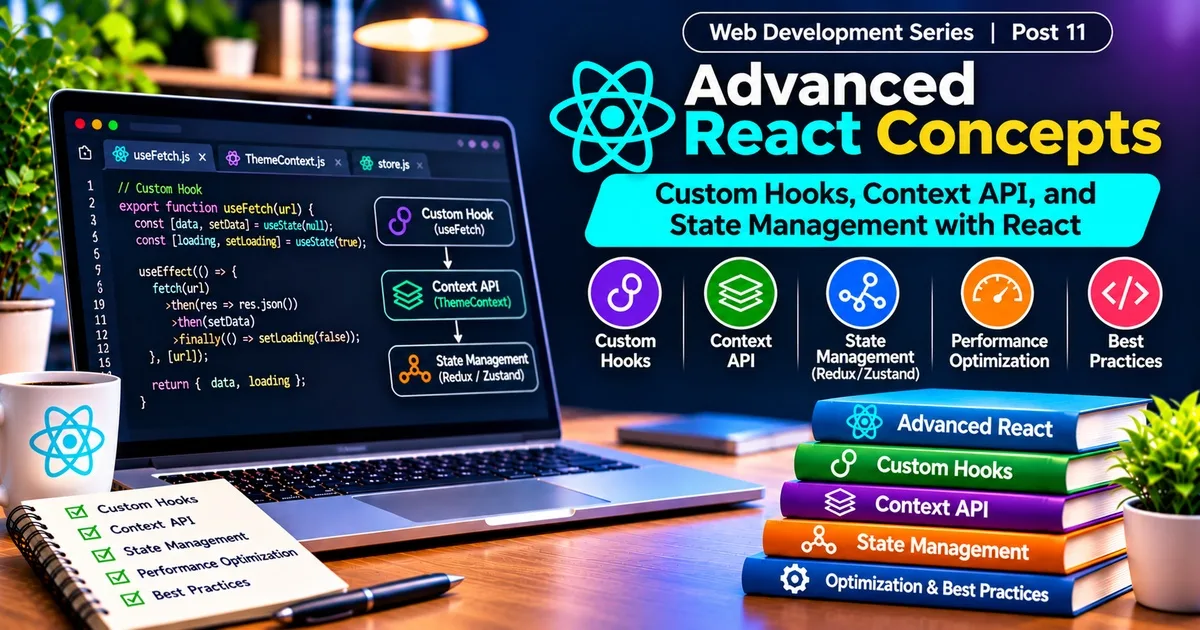
Advanced React development focuses on solving these challenges through better organization of application logic and data. Custom Hooks allow developers to reuse stateful behavior across components. The Context API provides a way to share values across a component tree without passing props through every intermediate component. The useReducer Hook supports more structured state transitions, while state-management libraries such as Redux Toolkit provide additional tools for complex applications.
These concepts are especially useful when building dashboards, e-commerce platforms, social applications, learning management systems, project management tools, and other products that contain many interconnected components. A user profile may appear in the navigation bar, account settings, comments, and dashboard. A shopping cart may be updated from product pages and displayed in a header and checkout screen. A consistent approach to shared state helps all these parts work together.
In the previous post, we introduced React.js, including components, JSX, props, state, Hooks, routing, forms, and API integration. This article takes the next step by exploring how to organize React applications as they become larger. It explains custom Hooks, Context, reducers, state-management strategies, asynchronous state, performance considerations, testing, and practical architecture decisions.
Continue Reading
1. Why Advanced React Concepts Matter
A small React application can often be built with a few components and local state variables. A counter, calculator, or simple form may not require a sophisticated architecture. As the application grows, however, the same information may be needed in many places. Passing it through multiple component layers can create unnecessary complexity, while duplicating state can cause different parts of the interface to display inconsistent information.
Consider a learning platform with students, instructors, courses, lessons, assessments, and discussion areas. The authenticated user's information may be needed by the navigation bar, profile menu, course dashboard, and discussion section. The selected course may affect the lesson viewer, progress indicator, and assessment panel. Notifications may need to update in several parts of the interface.
If every component manages its own copy of the same information, keeping the application synchronized becomes difficult. If all information is placed into one enormous component, that component becomes difficult to maintain. Advanced React concepts provide ways to organize shared behavior and data according to the needs of the application.
The objective is not to use every available Hook or state-management library. It is to choose an appropriate structure that makes the application easier to understand, extend, and test.
2. Understanding Custom Hooks
React provides built-in Hooks such as useState, useEffect, useContext, and useRef. These Hooks allow function components to use React features. A custom Hook is a JavaScript function that uses one or more Hooks to package reusable stateful logic.
Custom Hooks are useful when multiple components need to perform similar operations. For example, several components may need to track whether a browser window is online, manage a form field, retrieve data from an API, or maintain a selected item. Instead of copying the same logic into every component, developers can place it inside a custom Hook.
A custom Hook normally begins with the word use, followed by a descriptive name. This naming convention helps identify it as a Hook and allows React's linting rules to check its usage.
A simple custom Hook for managing a counter might look like this:
import { useState } from "react";

function useCounter(initialValue = 0) {
  const [count, setCount] = useState(initialValue);

  function increase() {
    setCount(value => value + 1);
  }

  function decrease() {
    setCount(value => value - 1);
  }

  function reset() {
    setCount(initialValue);
  }

  return {
    count,
    increase,
    decrease,
    reset
  };
}

export default useCounter;
A component can use this Hook without needing to know how its internal state is managed:
import useCounter from "./useCounter";

function CounterPanel() {
  const {
    count,
    increase,
    decrease,
    reset
  } = useCounter(5);

  return (
    <section>
      <h2>Current value: {count}</h2>
      <button onClick={increase}>Increase</button>
      <button onClick={decrease}>Decrease</button>
      <button onClick={reset}>Reset</button>
    </section>
  );
}
The custom Hook does not create a single shared counter for every component that calls it. Each component instance receives its own Hook state. This distinction is important. Custom Hooks reuse logic, but they do not automatically share state between components. Shared state requires an appropriate common owner, Context, an external store, or another communication mechanism.
3. Rules of Hooks
Custom Hooks follow the same fundamental rules as built-in Hooks. Hooks must be called at the top level of a React function component or another custom Hook. They should not be called inside conditions, loops, event handlers, or ordinary nested functions.
This requirement ensures that Hooks are called in a consistent order on every render. React uses that order to associate state and other Hook information with the correct component.
For example, this is an incorrect pattern:
function UserPanel({ isEnabled }) {
  if (isEnabled) {
    const [name, setName] = useState("");
  }

  return <div>User panel</div>;
}
The Hook is called only when the condition is true. If the condition changes between renders, the order of Hook calls can become inconsistent.
A better approach is to call the Hook unconditionally and use the condition for the relevant behavior or rendering:
function UserPanel({ isEnabled }) {
  const [name, setName] = useState("");

  if (!isEnabled) {
    return <p>User panel is disabled.</p>;
  }

  return (
    <div>
      <input
        value={name}
        onChange={event => setName(event.target.value)}
      />
    </div>
  );
}
Developers should also avoid calling Hooks from ordinary JavaScript utility functions. If a function needs React Hook behavior, it should be designed as a component or custom Hook. Modern React tooling includes lint rules that help detect violations and encourage consistent patterns.
4. Building a Custom Hook for API Data
Fetching information from an API is a common requirement in frontend applications. Several components may need to retrieve data and manage loading and error states. A custom Hook can package this behavior so that individual components focus on presenting the information.
The following example demonstrates a reusable Hook that retrieves data from an endpoint:
import { useEffect, useState } from "react";

function useFetch(url) {
  const [data, setData] = useState(null);
  const [loading, setLoading] = useState(true);
  const [error, setError] = useState("");

  useEffect(() => {
    const controller = new AbortController();

    async function loadData() {
      setLoading(true);
      setError("");

      try {
        const response = await fetch(url, {
          signal: controller.signal
        });

        if (!response.ok) {
          throw new Error("Unable to retrieve data");
        }

        const result = await response.json();
        setData(result);
      } catch (err) {
        if (err.name !== "AbortError") {
          setError(err.message);
        }
      } finally {
        if (!controller.signal.aborted) {
          setLoading(false);
        }
      }
    }

    loadData();

    return () => controller.abort();
  }, [url]);

  return { data, loading, error };
}

export default useFetch;
A component can then use the Hook:
function CourseList() {
  const {
    data: courses,
    loading,
    error
  } = useFetch("/api/courses");

  if (loading) return <p>Loading courses...</p>;
  if (error) return <p>{error}</p>;

  return (
    <ul>
      {courses.map(course => (
        <li key={course.id}>{course.title}</li>
      ))}
    </ul>
  );
}
This example introduces request cancellation and separates data retrieval from presentation. It is still a simplified implementation. A production application may need caching, retry behavior, pagination, request deduplication, authentication handling, and protection against stale responses. For these requirements, a dedicated data-fetching library may be more suitable than expanding a basic custom Hook indefinitely.
Custom Hooks should remain focused. A Hook that handles API requests, authentication, notifications, form validation, navigation, and unrelated business rules would become difficult to reuse. A clear responsibility makes the Hook easier to test and maintain.
5. Understanding the React Context API
React Context provides a mechanism for sharing values across a component tree without passing props manually through every intermediate component. It is particularly useful when many components need access to the same information.
Imagine an application where the authenticated user is needed by the header, account menu, dashboard, and profile page. Without Context, the user information may need to be passed from the top-level component through several layers, even when some intermediate components do not use it. This pattern is called prop drilling.
Context allows a parent component to provide a value to its descendants. Any component within the provider's tree can access that value through the useContext Hook.
Context is not automatically a replacement for every form of state management. It is a way to distribute values through a component tree. Developers still need to decide where the data should be created, how it should change, and which components should depend on it.
6. Creating and Using a Context
The first step is to create a context using createContext. A provider then makes a value available to components beneath it.
import {
  createContext,
  useContext,
  useState
} from "react";

const ThemeContext = createContext(null);

function ThemeProvider({ children }) {
  const [theme, setTheme] = useState("light");

  function toggleTheme() {
    setTheme(current =>
      current === "light" ? "dark" : "light"
    );
  }

  const value = {
    theme,
    toggleTheme
  };

  return (
    <ThemeContext.Provider value={value}>
      {children}
    </ThemeContext.Provider>
  );
}

function useTheme() {
  const context = useContext(ThemeContext);

  if (!context) {
    throw new Error(
      "useTheme must be used within ThemeProvider"
    );
  }

  return context;
}
A component inside the provider can access the shared value:
function ThemeButton() {
  const { theme, toggleTheme } = useTheme();

  return (
    <button onClick={toggleTheme}>
      Current theme: {theme}
    </button>
  );
}
The application can wrap the relevant component tree with the provider:
function App() {
  return (
    <ThemeProvider>
      <ThemeButton />
    </ThemeProvider>
  );
}
The example uses a custom Hook called useTheme to simplify context access. It also checks whether the component is inside the provider, allowing developers to receive a clear error if the context is used incorrectly.
7. When Should You Use Context?
Context is useful for information that needs to be available to several components within a shared part of the application. Common examples include a theme preference, language selection, authenticated user information, or a relatively simple application-wide configuration.
It is especially helpful when passing a value through many intermediate components would make the code difficult to follow. Instead of adding the same prop to every component in the hierarchy, a provider can supply the value to the relevant descendants.
However, Context should not be used simply because an application contains more than one component. Local state is often the simplest and most efficient choice when information is needed by only one component or a small group of closely related components.
Context also has performance implications. When a provider's value changes, components that consume that context may render again. If one large context object contains many unrelated values, frequent updates to one value can affect components that only need another value.
A practical solution is to divide context according to responsibility. For example, theme settings, authentication information, and application preferences may be maintained in separate contexts when they have different update patterns and consumers. This keeps dependencies clearer and can reduce unnecessary rendering.
8. Managing Complex State with useReducer
The useState Hook is excellent for straightforward state. However, when a component contains several related values and many possible transitions, managing them through multiple setter functions can become difficult.
The useReducer Hook provides a structured alternative. It uses a reducer function to calculate the next state based on the current state and an action. The component dispatches actions rather than directly implementing every state transition.
A reducer generally receives two arguments: the current state and an action. It returns the next state without mutating the existing state.
A task manager provides a useful example:
function taskReducer(state, action) {
  switch (action.type) {
    case "taskAdded":
      return [
        ...state,
        {
          id: action.id,
          title: action.title,
          completed: false
        }
      ];

    case "taskCompleted":
      return state.map(task =>
        task.id === action.id
          ? { ...task, completed: !task.completed }
          : task
      );

    case "taskDeleted":
      return state.filter(
        task => task.id !== action.id
      );

    default:
      return state;
  }
}
The component can use this reducer:
import { useReducer } from "react";

function TaskManager() {
  const [tasks, dispatch] = useReducer(
    taskReducer,
    []
  );

  function addTask(title) {
    dispatch({
      type: "taskAdded",
      id: crypto.randomUUID(),
      title
    });
  }

  return (
    <section>
      <button onClick={() => addTask("Learn React")}>
        Add Task
      </button>

      {tasks.map(task => (
        <div key={task.id}>
          <span>{task.title}</span>

          <button
            onClick={() =>
              dispatch({
                type: "taskCompleted",
                id: task.id
              })
            }
          >
            Toggle
          </button>

          <button
            onClick={() =>
              dispatch({
                type: "taskDeleted",
                id: task.id
              })
            }
          >
            Delete
          </button>
        </div>
      ))}
    </section>
  );
}
This approach centralizes state transitions in one reducer. It becomes easier to inspect which actions can change the state and how those changes are applied. Reducers are especially useful when several operations affect the same related data.
9. Combining Context and useReducer
Context and useReducer can be combined to create a simple shared state system. The reducer manages state transitions, while Context makes the state and dispatch function available to components across the provider's tree.
This pattern is useful for relatively contained application state, such as a shopping cart, notification collection, or selected workspace.
A simplified cart context could look like this:
import {
  createContext,
  useContext,
  useReducer
} from "react";

const CartContext = createContext(null);

function cartReducer(state, action) {
  switch (action.type) {
    case "itemAdded":
      return [...state, action.product];

    case "cartCleared":
      return [];

    default:
      return state;
  }
}

function CartProvider({ children }) {
  const [cart, dispatch] = useReducer(
    cartReducer,
    []
  );

  return (
    <CartContext.Provider value={{ cart, dispatch }}>
      {children}
    </CartContext.Provider>
  );
}

function useCart() {
  const context = useContext(CartContext);

  if (!context) {
    throw new Error(
      "useCart must be used within CartProvider"
    );
  }

  return context;
}
A product component can dispatch an action to add an item, while a cart summary can read the shared cart information. Both components use the same provider-managed state.
For a real shopping application, the reducer would need to handle quantities, product identifiers, price changes, duplicate items, removal, and other business rules. The backend would remain responsible for authoritative pricing, stock availability, and order processing. The frontend cart should not be treated as a trusted source for financial calculations.
10. Understanding Global State Management
Global state refers to information that needs to be shared across multiple parts of an application. The exact meaning depends on the application's architecture, but it often includes data such as the authenticated user, shopping cart, selected organization, application preferences, or shared interface settings.
Not all application data belongs in global state. A text field used by one form can usually remain local. A temporary menu visibility flag may belong to the navigation component. A product collection retrieved from the backend may be better managed as server state rather than duplicated in a general global store.
A useful architecture distinguishes between several kinds of state:
Local UI state contains information used by one component or a small group of related components. Examples include whether a dropdown is open, which tab is selected, or the current value of a local input.
Shared client state contains information that multiple components need to access and update. Examples include selected workspace, theme preference, or a locally maintained shopping cart.
Server state represents information owned by a backend system. Examples include user records, orders, course data, and product inventory. This state requires communication with the server and may become stale as other users or processes change the underlying data.
URL state represents information that should be reflected in the browser address, such as a selected page, search query, filter, or pagination value. Keeping suitable state in the URL makes pages easier to share, bookmark, and revisit.
Separating these categories helps avoid putting every value into one global store. It also makes it easier to choose the correct tool for each requirement.
11. Redux Toolkit for Larger React Applications
Redux is a state-management library that provides a predictable way to manage shared application state. Redux Toolkit is the recommended approach for writing Redux applications because it simplifies store configuration, reducer creation, and common update patterns.
A Redux application generally contains a store that holds application state, reducers that define how state changes, and actions that describe events or operations. Components can read selected data from the store and dispatch actions to request updates.
Redux Toolkit provides configureStore for creating the store and createSlice for defining a group of related state and reducer logic.
A simple counter slice looks like this:
import { createSlice } from "@reduxjs/toolkit";

const counterSlice = createSlice({
  name: "counter",
  initialState: {
    value: 0
  },
  reducers: {
    increment: state => {
      state.value += 1;
    },

    decrement: state => {
      state.value -= 1;
    },

    reset: state => {
      state.value = 0;
    }
  }
});

export const {
  increment,
  decrement,
  reset
} = counterSlice.actions;

export default counterSlice.reducer;
Redux Toolkit uses Immer internally to allow this convenient update syntax while producing immutable state updates. Developers should understand that the apparent mutation inside these reducer functions is managed by the library. It is not permission to mutate arbitrary React state directly.
The reducer can be registered with a store:
import { configureStore } from "@reduxjs/toolkit";
import counterReducer from "./counterSlice";

export const store = configureStore({
  reducer: {
    counter: counterReducer
  }
});
The application is then connected to the store using React Redux's provider:
import { Provider } from "react-redux";
import { store } from "./store";
import App from "./App";

function Root() {
  return (
    <Provider store={store}>
      <App />
    </Provider>
  );
}
Components can use useSelector to read values and useDispatch to dispatch actions. Redux Toolkit becomes particularly useful when the application has complex shared state, many related actions, established debugging needs, or a team that benefits from centralized state conventions.
12. Context API vs Redux Toolkit
Context and Redux Toolkit are not direct replacements for one another in every situation. Context is built into React and provides a way to share values through a component tree. Redux Toolkit is a dedicated state-management solution with a store, reducer patterns, middleware support, and development tools.
For a small application with a theme preference and a simple authenticated-user value, Context may be sufficient. It is relatively easy to understand and does not require an additional state-management library.
For a larger application with many shared state transitions, complex workflows, and a need for centralized debugging, Redux Toolkit may provide more structure. Its conventions can help teams understand how data changes and where actions originate.
Performance should also be considered. Context consumers can be affected when provider values change. Redux selectors allow components to subscribe to particular parts of the store, although selectors and state updates still need to be designed carefully.
A team should not introduce Redux simply because the application has several pages. Likewise, it should not force a complicated global state model into Context when a dedicated store would make the architecture easier to maintain. The correct choice depends on complexity, data flow, team familiarity, and long-term requirements.
13. Managing Server State with Data-Fetching Tools
Server state differs from local UI state because it represents data stored outside the browser. A React application may retrieve course records, user profiles, order details, or analytics from a backend API. This information can change independently of the current browser session.
A manually implemented API request often requires loading, error, success, refresh, caching, and cancellation logic. As more endpoints are added, repeating this logic in every component becomes difficult.
Libraries such as TanStack Query provide tools for managing server-state requests. They support caching, query keys, background refetching, invalidation, and other behaviors that would otherwise require substantial custom code.
For example, a component can use a query to retrieve course data:
import { useQuery } from "@tanstack/react-query";

function Courses() {
  const {
    data: courses,
    isPending,
    isError
  } = useQuery({
    queryKey: ["courses"],
    queryFn: async () => {
      const response = await fetch("/api/courses");

      if (!response.ok) {
        throw new Error("Unable to load courses");
      }

      return response.json();
    }
  });

  if (isPending) return <p>Loading courses...</p>;
  if (isError) return <p>Something went wrong.</p>;

  return (
    <ul>
      {courses.map(course => (
        <li key={course.id}>{course.title}</li>
      ))}
    </ul>
  );
}
This example assumes the application has already configured a query client provider. In a production system, developers should also consider authentication, error handling, pagination, stale-data policies, and cache invalidation after mutations.
Server-state tools do not replace every kind of state management. They are designed for information that comes from an external source. A dropdown's open state does not need to be placed in a server-state cache.
14. Organizing a Scalable React Project
A scalable React project needs an understandable file structure. The ideal organization depends on the size of the application, the team, and the product's requirements. There is no single folder structure that is correct for every project.
One common approach is feature-based organization. Related components, Hooks, API functions, and state logic are grouped by the feature they support.
For example:
src/
  app/
    App.jsx
    providers.jsx
    routes.jsx

  features/
    authentication/
      components/
      hooks/
      services/
      authSlice.js

    courses/
      components/
      hooks/
      courseApi.js

    dashboard/
      components/
      pages/

  shared/
    components/
    hooks/
    utilities/

  styles/
    global.css

  main.jsx
This structure keeps feature-specific code together. Authentication-related functionality can be found in one area, while course-related functionality is grouped separately. Shared components and utilities remain available to multiple features.
A project should avoid creating unnecessary folders for every small component. Overengineering the directory structure can make a small application harder to navigate. The goal is to organize code according to real responsibilities and allow the structure to evolve as the product grows.
15. Performance Considerations with Shared State
Shared state can affect application performance when many components depend on frequently changing values. Developers should understand how updates propagate through their component tree and avoid creating unnecessary dependencies.
One useful practice is to keep state close to the components that need it. If only a search form needs its input value, that value does not need to be stored globally. Keeping local state local reduces the number of components that depend on it.
Context values should be structured carefully. If one provider contains unrelated values that change frequently, consumers may render more often than necessary. Separating contexts according to responsibility can help. Memoizing provider values may also be useful when it prevents avoidable changes, but it should be applied based on actual behavior rather than habit.
For Redux applications, selectors should be designed to return stable and appropriately scoped values. Selecting an entire large object when a component only needs one field can create unnecessary updates. Memoized selectors can help when calculations are expensive or derived data is shared.
Developers should use React DevTools and browser performance tools to identify real bottlenecks. Optimization should be based on measurement and user impact. Unnecessary memoization can make code harder to understand without improving performance.
16. Testing Custom Hooks and Shared State
Advanced React logic should be tested independently where practical. Custom Hooks can be tested by rendering a small test component or using suitable Hook testing utilities. Tests should verify the behavior that consumers depend on, such as returned values, state transitions, error handling, and cleanup.
Context providers should be tested by rendering components inside them and checking how they respond to shared values. For example, a theme provider test can verify that changing the theme updates the relevant interface. An authentication context test can verify how the application behaves when the user is signed in or signed out.
Reducers are particularly suitable for unit testing because they are usually pure functions. A test can provide an initial state and an action, then verify the returned state. This makes it easier to cover important transitions without rendering an entire application.
Redux slices can also be tested by calling their reducers with representative actions. Integration tests should verify that components correctly read state and dispatch actions. For server-state tools, tests can use controlled API responses to verify loading, success, error, and invalidation behavior.
A good testing strategy focuses on user-visible outcomes and important state transitions. It should not depend unnecessarily on private implementation details that may change during refactoring.
17. Common Mistakes When Using Advanced React Concepts
One common mistake is using Context for every value in the application. This creates a large shared dependency structure and can make it difficult to understand which components depend on which information. Local state should remain local when possible.
Another mistake is assuming that custom Hooks automatically share state. A custom Hook shares logic, but each component calling it generally receives its own Hook state. If several components need the same changing value, that value needs a shared owner or state-management mechanism.
Developers may also create very large custom Hooks that combine unrelated responsibilities. A Hook that handles authentication, API requests, form validation, notifications, and navigation is difficult to test and reuse. Smaller Hooks with clear purposes are generally easier to maintain.
Mutating state directly is another frequent issue. React state should be updated through the appropriate setter or reducer pattern. Arrays and objects should be updated immutably unless a library such as Redux Toolkit is deliberately managing immutable updates through its reducer abstraction.
A further mistake is confusing server state with client state. Data from a backend needs caching, synchronization, error handling, and freshness decisions. Treating it as an ordinary local variable can lead to stale information and repeated requests.
Finally, developers sometimes adopt complex state-management libraries before the application needs them. More dependencies and abstractions do not automatically create better architecture. Start with the simplest approach that meets the requirements, then introduce additional structure when the complexity justifies it.
18. Practical Project: Building a Shared Dashboard State System
A useful way to understand these concepts is to build a dashboard for a learning platform. The dashboard can display the current user, enrolled courses, notifications, and selected course information. Different components need access to different parts of this data.
The authentication provider can make the current user available to the header and account menu. A course data-fetching tool can retrieve enrolled courses from the backend and manage loading and caching. A local state variable can control which course is selected. A notification provider or store can manage unread notification information if several parts of the application need to access it.
The component structure might contain a dashboard page, navigation bar, user profile menu, course list, course card, notification panel, and selected course view. Each component should receive only the information it needs.
The backend can use Express.js to expose endpoints for user information, enrolled courses, and notifications. MongoDB can store the underlying records. Authentication middleware verifies the user's identity, while authorization checks ensure that users can access only the courses and information permitted by the platform.
This project demonstrates an important architectural principle: React manages the interface and client-side state, while the backend remains responsible for data ownership, access control, and authoritative business rules. The frontend should not be trusted to decide whether a user is allowed to access a private course or modify a protected record.
Conclusion
Advanced React development is primarily about managing complexity. Custom Hooks help developers reuse stateful behavior, Context provides a way to share values across component trees, and useReducer supports structured state transitions. Redux Toolkit offers a more centralized approach for applications with complex shared state, while server-state libraries help manage information retrieved from backend APIs.
These tools solve different problems. Custom Hooks organize reusable logic. Context distributes values. Reducers define state transitions. State-management libraries coordinate shared client state. Data-fetching tools handle the challenges of synchronizing with external services. Understanding these distinctions helps developers avoid unnecessary complexity and choose an appropriate architecture.
When building larger React applications, keep state close to where it is needed, separate unrelated responsibilities, protect backend resources independently of frontend controls, and test important behavior. A well-structured application does not need to use every advanced feature. It needs a clear data flow, predictable updates, and an architecture that can grow with the product.
#ReactJS #AdvancedReact #ReactHooks #StateManagement #FrontendDevelopment